
How to Structure Ticket Categories and Subcategories for ITIL Teams
Learn how to build a logical, scalable ticket categorization taxonomy for ITIL teams to improve routing accuracy, SLA compliance, and service reporting.
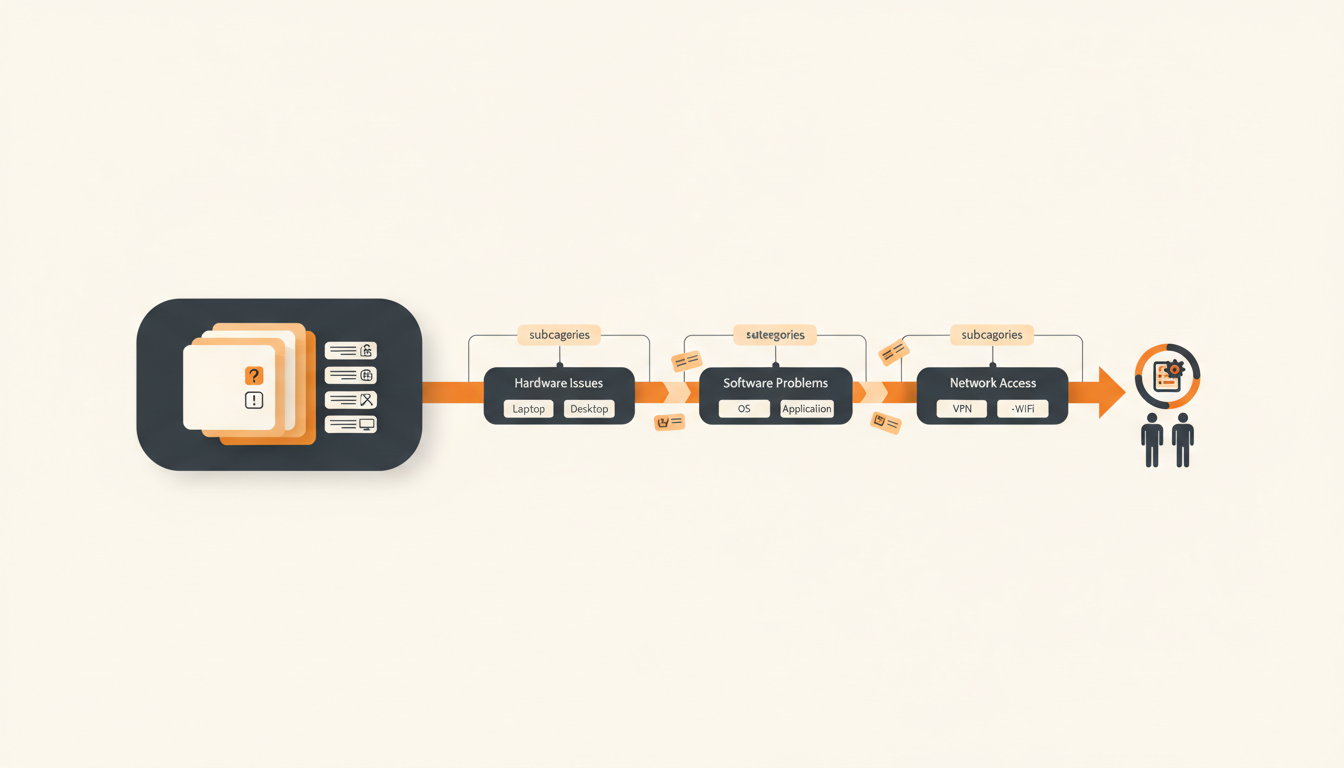
Ticket categorization organizes chaotic helpdesk queues into actionable, measurable data sets. A structured taxonomy allows IT teams to route work accurately, spot recurring problems, and automate basic requests. Without clear categories and subcategories, you cannot effectively enforce SLAs, generate meaningful reports, or differentiate a broken laptop from a routine software request.
The ITIL Foundation: Incidents vs. Service Requests
Before plotting out dozens of dropdown menus, your team must fundamentally separate broken things from requested things. In the IT Infrastructure Library (ITIL) framework, mixing an Incident with a Service Request guarantees reporting failure. If you group "My email won't load" in the same root category as "I need an Adobe license," you lose the ability to measure system stability against operational growth.
An Incident is an unplanned interruption to an IT service or reduction in the quality of an IT service. A Service Request is a formal request from a user for something to be provided, such as hardware, software access, or information. Your category structure must inherently distinguish between these two states, either by utilizing separate root ticket types or distinct top-level categories.
When setting up your IT ticketing system, mapping your incoming queries to these foundational types simplifies everything downstream. A service request usually requires approval workflows and predictable fulfillment times, while an incident requires immediate triage, technical troubleshooting, and an urgent SLA response.
| ITIL Ticket Type | Definition | Primary Goal | Category Example |
|---|---|---|---|
| Incident | Unplanned interruption or degradation of service. | Restore normal service operation as quickly as possible. | Hardware Failure, Network Outage, Application Error |
| Service Request | A formal request for something new or an established service. | Fulfill the request efficiently and securely. | Hardware Provisioning, Access Request, Software Installation |
| Problem | A cause of one or more existing or potential incidents. | Identify root causes and provide workarounds. | Recurring Server Crash, Chronic Wi-Fi Disconnects |
| Change | Addition, modification, or removal of anything affecting IT services. | Control risk and minimize disruption during updates. | Server Patching, Core Switch Replacement, Firewall Rule Update |
A Three-Tiered Approach to IT Service Taxonomies
Effective categorization relies on a predictable hierarchy. A standard approach uses three levels: Category, Subcategory, and Item. The Category defines the broad service domain. The Subcategory specifies the exact service or component. The Item (or action) defines what is actually happening or required.
Consider an illustrative example: a 120-person logistics firm migrating off shared email inboxes into a structured helpdesk. Previously, employees emailed "IT@" with subject lines like "Help" or "Need mouse." By implementing a three-tiered taxonomy, the IT manager structured the chaos. If a warehouse manager needs a new barcode scanner, the ticket follows the path: Hardware (Category) > Peripherals (Subcategory) > Request New Device (Item). If the scanner breaks, the path is Hardware > Peripherals > Device Malfunction.
This strict hierarchy prevents top-level menu bloat. If you elevate specific applications or individual hardware models to the Category level, agents will spend more time scrolling through dropdown menus than fixing the actual issue. Keep the Category tier restricted to eight or fewer broad domains, such as Hardware, Software, Network, Identity & Access, and Security.
Step-by-Step: Designing Your First Category Taxonomy
Building a categorization tree from scratch, or redesigning a broken one, requires discipline. If you sit in a room and guess what categories you need, you will build a taxonomy that reflects how IT thinks, not how the business operates.
- Audit Historical Data: Export the last three months of tickets. Group them manually in a spreadsheet based on the actual work performed, not the titles the users provided. Look for clusters of repeated work.
- Define Top-Level Domains (Categories): Based on the audit, establish 5-8 broad categories. Typical examples include Network/Connectivity, Hardware/Devices, Software/Applications, Identity/Access, and Facilities/Physical Security.
- Establish Subcategories: Break down each domain into logical groupings. Under Hardware, create subcategories like Laptops, Peripherals, and Mobile Devices. Under Identity/Access, use Active Directory, ERP System, and VPN.
- Define the Action/Item: Determine the "what" for each subcategory. Is it broken? Is it a request for access? Is it a password reset?
- Map to Routing Rules: Decide which team or agent owns each specific intersection of Category and Subcategory. Network/Connectivity automatically routes to the infrastructure lead; Hardware/Laptops routes to desktop support.
- Review and Prune: Look at your drafted list. If a category or subcategory would account for less than 1% of your total ticket volume, delete it and roll it into a broader grouping.
Tooling and Configuration: Translating Taxonomy into Software
The best taxonomy fails if the ticketing software forces users or agents into awkward workflows. Modern tools allow you to hide the complexity of your categorization tree from the end-user while still capturing the necessary metadata.
Rather than presenting employees with a blank form and a daunting dropdown menu, configure a Service Catalog. A Service Catalog acts as a browsable menu of pre-approved requests. When a user clicks "Request a New Laptop," the system automatically sets the Category to Hardware, the Subcategory to Laptops, and the Ticket Type to Service Request. The employee never sees the ITIL terminology, but the reporting data remains perfectly structured.
For unstructured incoming requests—like emails or chat messages—relying on agents to manually categorize every ticket creates bottlenecks. This is where AI-powered triage proves useful. Tools like QueAssist scan the incoming natural language description, identify the likely issue, and automatically apply the correct Category and Subcategory. This first-match routing assigns the ticket to the correct group immediately, skipping the traditional dispatch layer entirely.
Adapting Categories for Different Team Sizes
An IT taxonomy must scale with the organization. A 30-person startup has vastly different routing needs than a 250-person established firm. Attempting to copy the categorization matrix of an enterprise corporation will paralyze a small team.
For organizations with fewer than 50 employees and a solo IT administrator, keep categories completely flat. Hardware, Software, Network, and Onboarding/Offboarding are sufficient. At this scale, categorization exists purely for monthly reporting—answering the question, "Where did my time go?"—rather than complex routing, since the same person handles everything.
As the company grows to 100-300 employees, specialization begins. You might have a dedicated network engineer, a helpdesk technician, and an applications manager. At this point, Subcategories become mandatory. The taxonomy must branch out to support assignment rules and configurable SLA rules per priority. A broken core switch (Network > Infrastructure > Outage) requires a 15-minute SLA routed to the engineer, while a request for an external monitor (Hardware > Peripherals > Request) gets an 8-hour SLA routed to the technician.
Measuring Category Health and Routing Efficiency
A taxonomy is never truly finished; it requires ongoing maintenance. You must measure how effectively your categories operate to ensure they facilitate fast resolution rather than hindering it. Track these specific indicators to judge your structure's health.
First, monitor the reassignment count. If tickets categorized as "Software > ERP" are consistently reassigned three or four times before resolution, the category definition is likely too vague, or the initial routing rules are pointing to the wrong team. High reassignment rates indicate confusion.
Second, track the volume of tickets hitting your Knowledge Base. If "Access > Password Reset" consistently makes up 20% of your queue, your categorization has successfully identified a prime candidate for agentic auto-resolution or self-serve documentation. By linking specific high-volume categories to targeted Knowledge Base articles, you deflect routine work.
Third, measure the frequency of category corrections. If agents frequently change the category that was initially assigned (either by the user or the initial triage system), the options provided are not intuitive. A category that is wrong 40% of the time needs immediate renaming.
Common Mistakes: The "Other" Bucket and Over-Engineering
Even seasoned IT managers fall into predictable traps when designing categorization trees. The most damaging mistake is creating a category named "Other," "Miscellaneous," or "General." When faced with a complex menu, humans choose the path of least resistance. If "Other" is an option, a massive percentage of your tickets will end up there, completely destroying your reporting accuracy. If a ticket truly does not fit into your established categories, agents should escalate the discrepancy to management so the taxonomy can be updated.
Another frequent error is forcing the end-user to make categorization decisions on standard intake forms. Employees do not know if a cloud application timeout is a "Network" issue, a "Software" issue, or a "Server" issue. They only know the app will not load. Exposing internal ITIL taxonomy to employees guarantees inaccurate data. Rely on plain-language Service Catalog items or automated triage for intake, keeping the strict categories on the agent side.
Finally, avoid creating categories based on organizational departments rather than technical services. A category called "Marketing Issues" or "HR Requests" breaks down immediately when a marketing employee has a hardware failure. Categories must describe the technical service provided, not the identity of the person requesting it.
The Rollout Strategy: Changing Habits Without Breaking Workflows
Deploying a new category structure requires careful change management. Switching a taxonomy overnight without warning will frustrate your agents and disrupt active reporting cycles. Plan a phased transition over a low-volume weekend.
Start by documenting the new matrix and distributing it to the IT team. Walk through hypothetical scenarios in a weekly meeting, asking agents where they would place specific issues under the new model. This practical exercise exposes logical gaps before they impact live production data.
Once live, run a dual reporting period. Maintain your old reports alongside the new ones for 30 days to establish a new baseline. During this first month, expect a temporary dip in triage speed as agents adjust to the new dropdown locations. Hold a brief 15-minute review at the end of each week specifically to discuss tickets that were difficult to categorize.
Unlike legacy tools with per-agent fees that penalize you for expanding your IT operations team, QueueDesk offers flat monthly pricing per workspace, ensuring you can build out specialized routing rules and assign multiple technicians without budget surprises. A logical taxonomy combined with flat pricing scales smoothly alongside your business.
Building the right ITIL taxonomy clears the path for intelligent automation. When your categories are tight, QueAssist can accurately tag, prioritize, and auto-resolve common requests based on your internal documentation. If you are tired of manually triaging "Other" tickets and want a system built specifically for SMEs to handle this automatically, create your QueueDesk workspace today.
Get started today
Ready to fix internal support?
Free Starter plan. No credit card. Up and running the same day.
Start freeFrequently asked questions
Should we allow end-users to select the ticket category when submitting a request?+
No, exposing ITIL categories like 'Network Infrastructure' or 'Software Application' to employees leads to highly inaccurate data. Users often guess incorrectly. Instead, use a Service Catalog with plain-language requests or rely on AI triage to categorize plain-text descriptions automatically.
How deep should our subcategories go?+
Limit your hierarchy to three levels: Category, Subcategory, and Item. Going deeper than three levels forces agents to spend too much time clicking through menus and rarely provides actionable reporting data. If an issue requires more detail, capture it via custom form fields rather than deeper categories.
What is the best way to handle tickets that do not fit into any existing category?+
Avoid using an 'Other' or 'Miscellaneous' category. Instead, agents should pick the closest available option and flag the ticket for a taxonomy review. If a specific type of unmapped request occurs frequently, update your category list to accommodate it.
How often should an IT team review and update their category list?+
Review your categorization matrix quarterly. Look for categories that are rarely used (which should be merged or deleted) and analyze high volumes in broad categories that might need to be split into more specific subcategories for better SLA tracking.