
Incident vs. Service Request: How to Tell Them Apart and Why It Matters
Learn the exact difference between an IT incident and a service request. Set up distinct SLAs, routing rules, and workflows to fix what is broken faster.
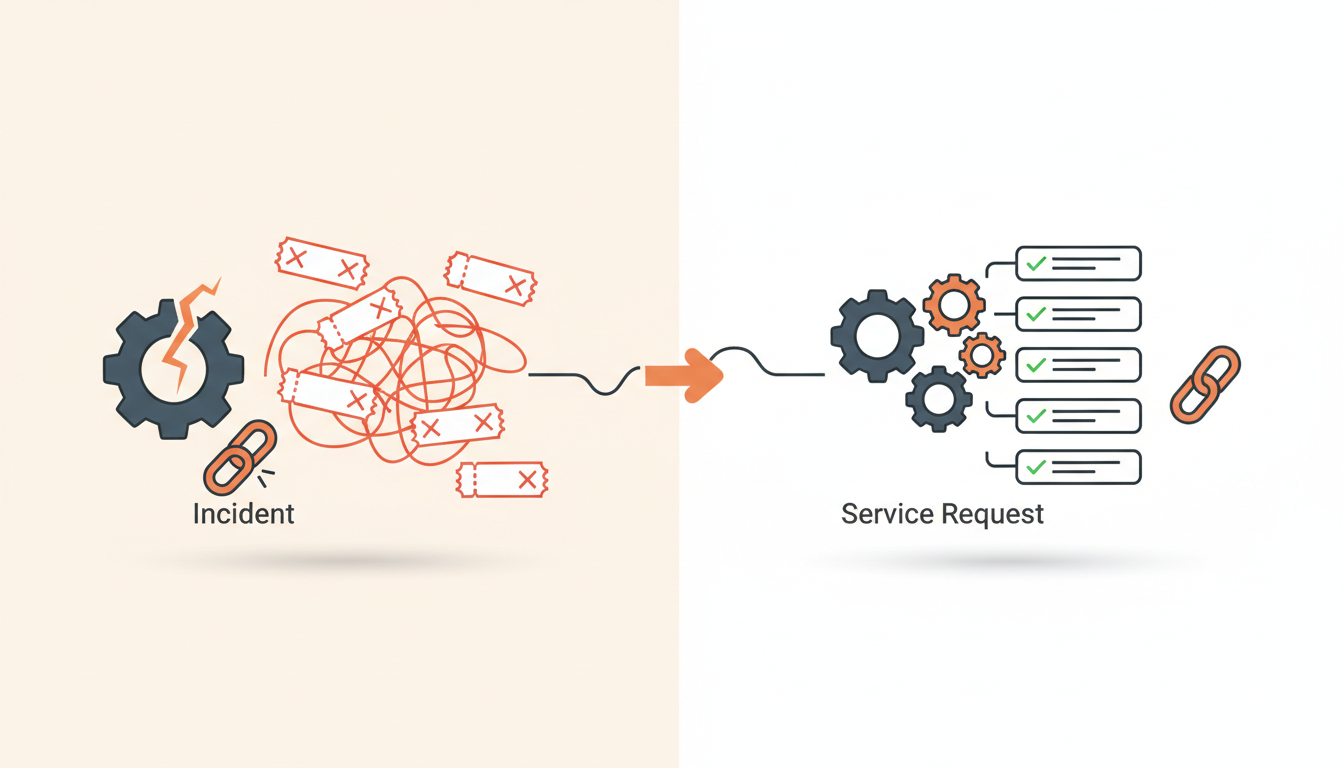
An incident means a system or service is currently broken and actively disrupting work. A service request is a routine ask for something new, changed, or provided, like a software license or hardware upgrade. If you treat them as the same thing in your IT queue, your engineers will waste time provisioning mice while a critical database outage sits unread in the same inbox.
The Core Definitions: ITIL Basics Without the Bloat
IT Infrastructure Library (ITIL) frameworks often overcomplicate basic concepts, but the baseline definitions for these two ticket types are necessary for any functional IT team. An incident is an unplanned interruption to an IT service or a reduction in the quality of an IT service. Failure of a configuration item that has not yet affected service is also an incident. Think of it as a break-fix scenario. Something worked yesterday, and today it does not.
A service request is a formal user request for something to be provided. It is not a failure. It is planned, repeatable, and usually requires an approval workflow rather than a troubleshooting session. A user asking for access to a shared drive, requesting a password reset, or ordering a replacement charger are all service requests. The fundamental difference dictates how your team responds: incidents require urgent diagnosis and mitigation, while requests require fulfillment according to a standard operating procedure.
Why the Distinction Actually Matters for SME IT
Mixing incidents and requests in a single, undifferentiated queue creates immediate operational drag. If a critical network switch goes down (an incident) and an employee requests a new ergonomic keyboard (a service request), placing them side-by-side forces your IT staff to manually decipher priority based on the subject line. This leads to missed Service Level Agreements (SLAs) and frustrated end-users.
Establishing configurable SLA rules per priority is impossible if the underlying ticket type is ambiguous. Incidents generally require aggressive response times—often 15 to 30 minutes for a P1 (Priority 1) issue—because business operations are halted. Service requests can usually withstand a 24-to-48-hour fulfillment window. Unlike complex legacy tools that penalize you for adding approvers or agents to handle these distinct workflows, separating your ticket types shouldn't inflate your bill—especially if you use a platform with flat monthly pricing per workspace rather than per-seat licensing.
The "Broken vs. Building" Matrix
To train your tier-one agents or configure your automated routing, you need clear parameters. Use this comparison table as a reference for distinguishing the two types instantly.
| Characteristic | Incident | Service Request |
|---|---|---|
| Primary Goal | Restore normal service operation as quickly as possible. | Fulfill a standard, pre-approved user need. |
| Urgency | High; depends on business impact and scale of outage. | Low to Medium; based on standard fulfillment times. |
| Process | Troubleshooting, workarounds, root cause analysis. | Approvals, procurement, provisioning, standard operating procedures. |
| Trigger | An error, alert, or user reporting a failure. | A user selecting an item from a catalog. |
| Resolution | The system is working normally again. | The requested item or access is provided. |
Real-World Scenario: A Growing Logistics Company
Consider an illustrative example of a 60-person logistics company migrating off shared email inboxes. Previously, warehouse managers emailed "IT Help" for everything. A broken barcode scanner (an incident stopping truck loading) sat next to a new hire's request for a tablet (a service request needed by next week).
Because everything looked identical, the lone IT manager triaged tickets chronologically. Operations stalled. By implementing a structured employee portal, the company separated the intake. Users browsed a menu of pre-approved requests for new equipment, which pre-filled the necessary forms and routed directly to the finance manager's approval workflow. For outages, users clicked a distinct "Report an Issue" button. The outcome was stark: response times for actual warehouse outages dropped from hours to minutes, while routine access requests were auto-resolved without human intervention.
Tooling and Configuration: Setting Up Workflows for Both
You cannot enforce the separation of incidents and requests if your users only see a blank text box. Blank text boxes encourage users to dump symptoms without context. Instead, you need purpose-built intake mechanisms for each.
Service Catalog for Requests
For service requests, implement a Service Catalog. This is a browsable menu of pre-approved items (like a new laptop, software license, or guest Wi-Fi access). When an employee selects an item, the system presents a specific form asking only for the required details. This skips the endless back-and-forth email chain of "Which cost center should I charge this to?"
QueAssist and AI Triage for Incidents
Incidents are inherently unpredictable. When a user reports an error, they rarely know the root cause. This is where AI-powered ticket triage becomes necessary. Tools like QueAssist categorize, prioritize, and route tickets on arrival by analyzing the user's description. If the system detects an outage pattern, it triggers an escalation alert to the right group based on assignment rules. When you explore our core features and ITIL ticket types, you will see exactly how dedicated workflows prevent incidents from hiding in the request backlog.
A Step-by-Step Process for Classifying Unknown Tickets
Even with great tools, employees will sometimes submit ambiguous tickets. Use this 4-step checklist to determine whether a submitted ticket is an incident or a service request, and how to handle it:
- Check the Baseline State: Ask, "Did this work normally yesterday?" If yes, and it is now failing, classify it as an Incident.
- Determine the Goal: Is the user asking for net-new access, hardware, or software? If yes, classify as a Service Request.
- Consult the Knowledge Base: If the issue is a known "how-to" question (e.g., "How do I connect to the VPN?"), use QueAssist agentic auto-resolution grounded in your Knowledge Base to answer it directly, closing the ticket automatically.
- Trigger the Appropriate Workflow: If an Incident, assign a Priority (P1-P4) based on impact and route to the break-fix team. If a Service Request, attach the necessary approval workflow and route to procurement or access management.
Measuring Success: Metrics That Diverge
Tracking the same metrics for both ticket types will give you corrupted data. You must measure incidents and service requests differently to understand your IT team's performance.
Incident Metrics
For incidents, track Mean Time to Recover (MTTR) and First Contact Resolution (FCR). Your goal is to drive MTTR down. A high volume of incidents usually points to a larger underlying Problem (in ITIL terms) with your infrastructure that requires permanent changes.
Service Request Metrics
For service requests, track Fulfillment Time and SLA Adherence. Your goal is predictability. If your SLA for software access is 24 hours, consistently delivering in 18 hours is a success. You should also monitor CSAT surveys heavily on requests, as user satisfaction is directly tied to how smoothly they received their requested item.
Common Mistakes When Separating Incidents and Requests
The biggest mistake IT managers make is forcing the end-user to understand ITIL terminology. Never put two buttons on your portal that say "Submit Incident" and "Submit Service Request." Most employees do not know the difference and will guess incorrectly.
Instead, use plain language. Frame your portal with options like "Report a Problem" (Incident) and "Request Something New" (Service Request). Another common error is failing to use Groups for team-based ownership. If a service request for a new SaaS application requires a security review, it should automatically route to the Security Group, not sit in the general IT tier-one queue waiting for manual delegation. Finally, avoid over-engineering approval workflows for low-risk requests. Do not require director-level sign-off for a $15 mouse pad; reserve strict approvals for financial or security-altering changes.
Transitioning Your Team and Users
Rolling out a dual-track ticketing structure requires clear communication. Start by updating your IT team. Ensure agents understand how to reclassify a ticket if a user submits an incident through the service catalog by mistake.
Next, announce the new employee portal to the wider company. Emphasize that the new Service Catalog will get them their requested items faster because approvals are automated. Provide a choice of traditional forms or AI chat intake to accommodate different employee preferences. By removing the friction on the user's end, you ensure higher adoption of the correct intake channels.
Stop forcing your technicians to manually sort critical system failures from standard equipment requests. By adopting an AI-first internal service desk designed for SMEs, you can automate classification, enforce strict SLAs, and let your employees self-serve routine needs. Start building your service catalog and modernizing your incident response today when you sign up for a free trial of QueueDesk.
Get started today
Ready to fix internal support?
Free Starter plan. No credit card. Up and running the same day.
Start freeFrequently asked questions
Can a service request escalate into an incident?+
No, but they can be related. If a user requests a software installation (service request) and the installation corrupts their operating system, the resulting failure is a new, separate incident. The original request is fulfilled, and a new incident ticket is opened to troubleshoot the crash.
How should we handle password resets: as incidents or requests?+
Password resets are generally classified as service requests because they are standard, repeatable, and do not represent a system failure. However, they are high-urgency requests. The best approach is to handle them via agentic auto-resolution so users can securely reset passwords without human IT intervention.
What happens if a user submits a ticket with the wrong classification?+
Your IT agents should have the ability to reclassify the ticket type within your service desk software. Modern platforms use AI triage to automatically catch and correct these misclassifications on arrival based on the text description, before a human even sees them.
Should approvals be used on incidents?+
Generally, no. Incidents require immediate technical intervention to restore service. Waiting for a manager to approve an incident resolution delays recovery. Approvals belong on service requests (like budget sign-offs) and Changes (like authorizing a patch to production servers).