
How to Set Up a Knowledge Base for Employee Support
Learn how to build an employee support knowledge base that actually resolves tickets. Step-by-step guide on auditing volume, writing articles, and deflection.
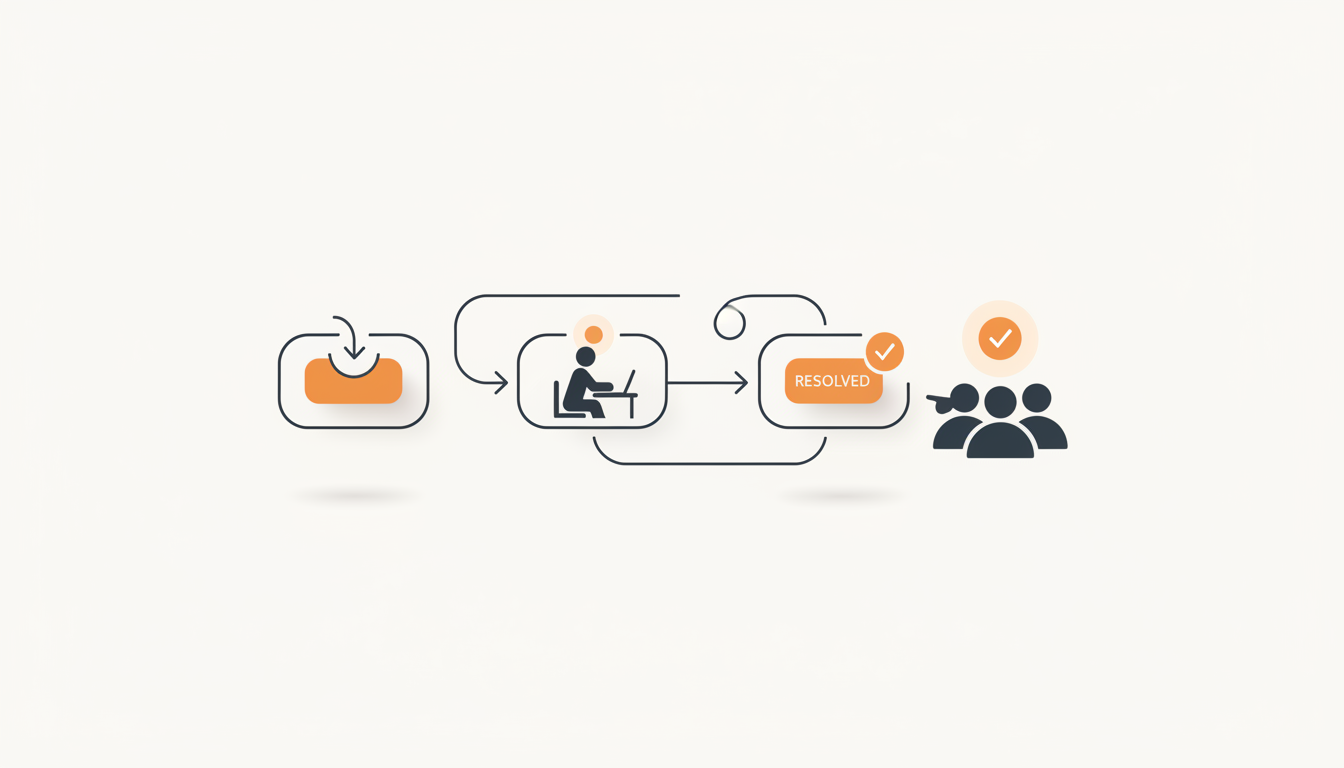
Set up a knowledge base for employee support by identifying your top 20 most frequent tickets, writing concise answers with clear formatting, and embedding those answers directly into your ticketing intake process. The goal is not a comprehensive wiki of every IT and HR policy, but a highly targeted self-serve layer that resolves high-volume, low-complexity requests before they ever hit an agent's queue. If an article doesn't intercept a specific, repeating employee question, it doesn't belong in your support knowledge base.
The Difference Between a Knowledge Base and a Company Wiki
Most organizations fail at self-service because they confuse their company wiki with their support knowledge base. A wiki is built for collaboration, institutional memory, and long-form policy documentation. A support knowledge base is built for rapid issue resolution. When a user cannot print, they do not want to read the history of the company's vendor agreement with the printer manufacturer; they want a three-step guide on how to map the network drive.
To succeed, you must isolate the knowledge base from general company documentation. It needs strict governance, standardized formatting, and a focus purely on actionable solutions. If you mix your IT troubleshooting steps in the same repository as the marketing team's brand guidelines, search results become cluttered, employees get frustrated, and they immediately revert to submitting blank-form tickets or sending direct messages to IT staff.
| Characteristic | Company Wiki (Not for Support) | Support Knowledge Base |
|---|---|---|
| Primary Purpose | Store institutional knowledge and context | Resolve specific, immediate employee issues |
| Authorship | Open to all employees to edit and add | Restricted to IT/Ops agents and managers |
| Article Length | Long, comprehensive, deeply detailed | Short, punchy, step-by-step, actionable |
| Success Metric | Total pages created and viewed | Ticket deflection and CSAT scores |
Auditing Your Current Ticket Volume for High-Yield Topics
Never sit down in front of a blank screen and guess what your employees need to know. Your existing ticketing data holds the exact blueprint for your knowledge base. Building documentation for edge cases is a waste of your team's time. Instead, you need to identify the questions that eat up your helpdesk hours week after week.
Extracting and Grouping Your Data
Export the last six months of your resolved tickets to a spreadsheet. You are looking for high-frequency, low-complexity requests. Filter out major Incidents, complex Changes, and highly specialized Problems. Focus on routine Service Requests and basic how-to questions.
Sort the remaining tickets by subject line or category. Look for recurring keywords: "password," "VPN," "access," "guest wifi," "printer," and "software license." Group these into clusters. Your objective is to find clusters that generate at least three to five tickets per month in a standard SME environment. These are your high-yield targets.
Establishing Your Thresholds
Use a strict threshold rule to determine if a topic warrants an article. A reasonable default is the "Rule of Three": if an identical how-to question appears three times in a 30-day period, it gets documented. This prevents your agents from writing articles for one-off anomalies that will never happen again, keeping the database lean and relevant.
Structuring Your Knowledge Base Architecture
A successful knowledge base relies on a flat, intuitive hierarchy. If an employee has to click through four nested folders to find instructions on resetting their two-factor authentication, they will abandon the search and submit a ticket. Keep your architecture simple.
Categories vs. Tags
Divide your knowledge base into no more than six to eight broad categories (e.g., Hardware, Software & Apps, Network & Security, HR & Payroll, Facilities). These categories give users a browsable structure if they aren't sure exactly what to search for.
Use tags for specific applications or cross-functional topics. For instance, an article about installing Zoom might live in the "Software & Apps" category, but carry tags for "Video Conferencing," "Zoom," and "Communication." This ensures the native search engine can surface the article regardless of which synonym the employee uses.
Writing Articles Employees Actually Read: A Step-by-Step Guide
Writing for support requires a specific discipline. You are writing for distracted, frustrated people who want to fix an immediate blocker and get back to their actual jobs. Use this numbered process for every article.
- Title the article using the employee's exact phrasing. Do not title an article "802.1x Network Authentication Protocol Guidelines." Title it "How to Connect to the Office Wi-Fi." Match the vocabulary of the user, not the sysadmin.
- Start with the Bottom Line Up Front (BLUF). The first sentence should explicitly state what the article will accomplish and who it applies to. For example: "These steps will help macOS users connect to the office printer on the second floor."
- Use strict chronological formatting. Break the solution into numbered steps. Never combine two distinct actions into a single step. Keep the text brief.
- Bold all UI elements. When directing users to click buttons or navigate menus, make the interface elements visually distinct. For example: "Click Settings, then select Network Preferences."
- Provide an explicit escalation path. Acknowledge that the steps might not work for everyone. End every article with instructions on what to do if the issue persists, ensuring they don't feel abandoned by the self-serve system.
Integrating Documentation with Your Intake Process
The best articles in the world are useless if employees cannot find them at the exact moment they experience an issue. A distinct, separate knowledge base website rarely sees high traffic because it requires employees to change their habits. Instead, you must embed the answers directly into the intake process.
When you use a modern internal helpdesk, employee self-serve search operates actively rather than passively. As an employee begins typing their issue into a traditional form or an AI chat interface, the system should immediately query the database and suggest relevant articles before the submission button is even clicked. This active interception is the core mechanism of ticket deflection.
If the user's issue matches a well-documented process—like an access request—advanced setups can take this further. QueAssist agentic auto-resolution can read the internal documentation and execute the documented steps automatically, resolving the query entirely without human routing. This transforms the knowledge base from a static reading repository into an active instruction manual for automated operations.
Differentiating Between Information and Pre-Approved Requests
A common operational failure is trying to make the knowledge base handle everything. Sometimes, users don't need instructions; they just need authorization for a physical asset or a software seat. Knowing when to use an article versus a service item is critical.
If the user needs to know how to install Adobe Acrobat, that is a knowledge base article. If the user needs to request a paid license for Adobe Acrobat, that is a Service Catalog item. A Service Catalog provides a browsable menu of pre-approved requests that pre-fills a ticket, routes it to the correct manager via approval workflows, and applies configurable SLA rules per priority. Do not write a 500-word article explaining the software approval process; just build a single Service Catalog item that handles the workflow natively.
Illustrative Example: Moving a 120-Person Logistics Firm to Self-Serve
Consider an illustrative example of a 120-person logistics company that was running its IT support out of a shared email inbox. The two-person IT team spent the first three hours of every Monday replying to identical questions about resetting routing software passwords and connecting barcode scanners to the new warehouse network.
Rather than writing a massive manual, the team exported their inbox history and identified the top 15 most frequent requests. They wrote 15 brief, step-by-step articles based solely on those topics. They deployed an employee portal where users had a choice of traditional forms or AI chat intake. Before a user could submit a ticket about barcode scanners, the portal surfaced the exact three-step reconnection guide.
The outcome dropped basic inquiry resolution time from hours to minutes. Because the routing rules and Groups for team-based ownership handled the complex escalations, the IT team stopped acting as a human router for generic questions and shifted their focus to maintaining the warehouse's physical infrastructure.
Measuring Deflection: How to Know Your Strategy Works
You cannot improve what you do not measure. Once your knowledge base is live, you must track its performance to ensure the effort actually reduces agent workload. Track these three specific metrics to gauge success.
Self-Service Deflection Rate
Measure how many users view an article during the ticket creation process and subsequently abandon the ticket submission. This is your primary deflection metric. If this number is low, your titles might be confusing, or your articles might be surfacing for the wrong search terms.
CSAT on Articles
Embed simple CSAT surveys (e.g., thumbs up/thumbs down) at the bottom of every article asking, "Did this solve your problem?" When an article receives multiple negative ratings, flag it for immediate review by the IT team. It usually means the UI of the software has changed and the steps are outdated, or the instructions skip a crucial technical step.
Search Terms with No Results
Regularly review the search queries employees enter that return zero results. This is your roadmap for future documentation. If ten people search for "guest parking policy" and find nothing, you immediately know exactly what article needs to be written next.
Common Mistakes When Launching Employee Self-Service
Even with excellent content, rollouts frequently stumble due to structural or administrative missteps. Avoid these specific traps when launching your repository.
The most frequent error is treating the knowledge base as a "set it and forget it" project. Technology environments drift. Software updates change button layouts, and security policies evolve. If an employee follows an outdated article and fails, they lose trust in the portal and will bypass it completely the next time. Implement a mandatory six-month review cycle for all active articles.
Another mistake is attempting to force self-service on complex ITIL Problem or Change records. If an employee is reporting a systemic network outage, do not insult them by suggesting an article on how to restart their router. Escalate major incidents immediately to the appropriate group.
Finally, organizations often restrict their own scaling by tying their helpdesk growth to expensive per-agent software licensing. As you build out more complex documentation and bring HR, Facilities, and Ops into the portal, paying per-seat becomes restrictive. Opt for tools that offer flat monthly pricing per workspace so you can add contributors across departments without artificially inflating your operational costs.
Taking the Next Step with Your Internal Support
Building an effective self-serve layer requires looking strictly at data, writing clearly for the end-user, and ensuring those answers intercept the user precisely at the point of request. Moving away from scattered wikis and shared inboxes into a structured, AI-assisted intake process stops redundant work and protects your team's time. To put these practices into action and stop answering the same questions every week, sign up for QueueDesk and start routing your employees to the answers they need instantly.
Get started today
Ready to fix internal support?
Free Starter plan. No credit card. Up and running the same day.
Start freeFrequently asked questions
How many articles should we have before launching our knowledge base?+
You do not need a massive library to launch. Start with 15 to 20 articles that address your highest-frequency tickets (e.g., password resets, basic network access, software requests). It is better to launch with 15 highly accurate, frequently used articles than 100 articles that cover obscure edge cases.
Who should be responsible for updating the documentation?+
Assign specific ownership based on ITIL practices. Have the subject matter expert (e.g., the network administrator) draft the technical steps, but require a service desk manager or designated knowledge manager to edit the article for readability, formatting, and end-user vocabulary before publishing.
How do we handle articles that contain sensitive security information?+
Your helpdesk platform should support visibility settings and groups. Keep public how-to articles visible to all employees, but restrict internal troubleshooting guides, admin credentials, and complex infrastructure diagrams exclusively to logged-in IT agents.
What is the difference between an Incident article and a Service Request article?+
An Incident article helps an employee fix something that is broken (e.g., 'How to Fix a Frozen Application'). A Service Request article guides an employee through asking for something new (e.g., 'How to Request a Hardware Upgrade'). Keep these distinct, and consider using a Service Catalog for requests rather than text articles.