
How to Calculate First Response Time for an IT Support Team
Learn the exact formula for calculating First Response Time, common measurement mistakes to avoid, and how to set realistic SLAs for your IT helpdesk.
The Definition of First Response Time
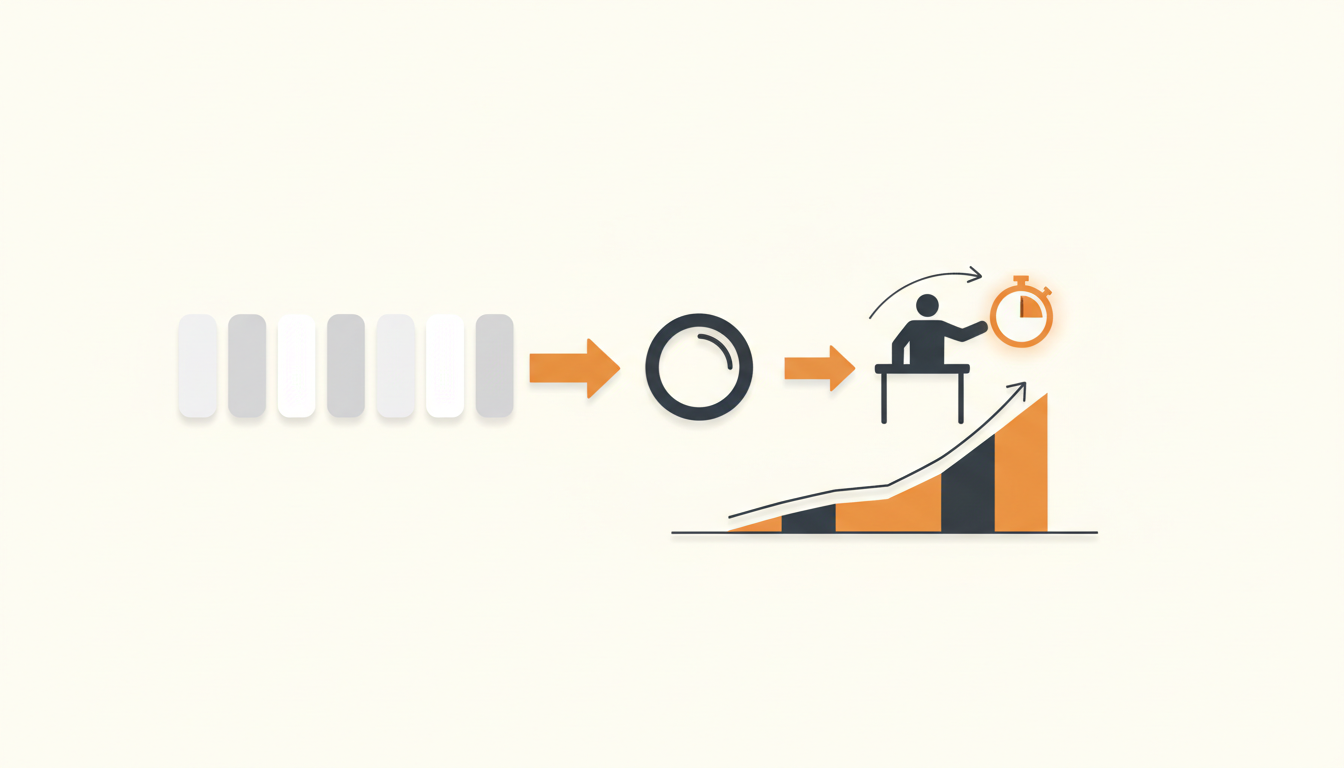
First Response Time (FRT) is the total elapsed time from when an employee submits a ticket to the exact moment an agent sends their first meaningful, human-driven reply. You calculate it by subtracting the ticket creation timestamp from the first agent reply timestamp, typically adjusting for business hours to avoid penalizing your team for weekend submissions. Getting this metric right establishes baseline trust with your organization and tells you immediately if your intake queue is understaffed.
The Core Formula: Calculating First Response Time
The mathematical calculation for a single ticket is straightforward: Time of First Meaningful Reply minus Time of Ticket Creation. To find your support team's overall First Response Time, you sum the FRT of all resolved tickets within a specific reporting period and divide that number by the total ticket volume for that same period.
While the basic average (the mean) is the most common way organizations report this metric, seasoned IT managers often prefer the median. A simple average is highly susceptible to outliers. If an obscure, low-priority request slips through the cracks and sits untouched for 14 days before someone replies, that single ticket will artificially inflate your team's average response time, making it look like your entire operation is failing. Calculating the median First Response Time gives you a much clearer picture of the typical employee experience.
You also need to decide exactly when the clock starts. For email submissions, the clock starts the second the email hits the server. For a Service Catalog submission, the clock starts when the user hits submit. If an employee walks up to an IT desk and an agent logs the ticket on their behalf, the First Response Time is effectively zero, because the initial conversation happens simultaneously with the ticket creation. Your reporting tools need to account for these distinct intake channels.
What Actually Counts as a "First Response"?
The most dangerous pitfall in measuring FRT is letting your systems count the wrong events as a response. If your metrics are polluted by system events, you will think your team is incredibly fast while your employees are complaining about being ignored.
A first response must indicate that a sentient operator (or an intelligent agentic system operating on behalf of the team) has acknowledged the specific nature of the problem and initiated forward momentum. It is a qualitative threshold just as much as a quantitative one.
| Action | Counts as First Response? | Why? |
|---|---|---|
| Automated "Ticket Received" email | No | Basic auto-responders require no human action and provide no progress toward resolution. |
| Agent replies asking for a screenshot or clarification | Yes | The agent has reviewed the context and initiated active triage. |
| Ticket is reassigned from L1 to L2 without comment | No | Internal routing changes are invisible to the end user and do not communicate progress. |
| Agent macros a "We are looking into this" message | Debatable | Technically yes, but relying on empty macros to stop the SLA clock is a toxic team habit. |
| Agentic auto-resolution handles a password reset immediately | Yes | The request was fully processed and closed. This effectively logs a zero-minute response. |
Business Hours vs. Calendar Hours: The Great Debate
When you set up your reporting, you face an immediate philosophical choice: do you measure the clock continuously (Calendar Hours), or do you pause the clock when your agents go home (Business Hours)?
If an employee submits a ticket on Friday at 9:00 PM, and your agent replies on Monday at 9:15 AM, measuring in Calendar Hours yields a First Response Time of roughly 60 hours. Measuring in Business Hours (assuming a standard 9-to-5 schedule) yields a First Response Time of 15 minutes.
For internal operational health, Business Hours is the correct choice. You use FRT to evaluate whether your staff can handle the volume of work assigned to them during the hours you pay them to work. Punishing your metrics because the office was closed destroys the utility of the data.
However, the employee submitting that ticket still experienced a 60-hour wait. If your executive team only sees a report claiming "IT responds in 15 minutes," they will experience a severe cognitive disconnect from reality. A pragmatic approach involves building your Configurable SLA rules around business hours for operational targets, but occasionally pulling a calendar-hour report to evaluate whether you need to introduce an on-call rotation or extend your official support windows.
Step-by-Step Guide: Standardizing Your Measurement Process
If your baseline data is flawed, every decision you make regarding staffing and routing will be flawed. Follow this process to ensure your First Response Time calculations are reliable.
- Map your official operating hours and holidays. Configure your helpdesk software to explicitly pause SLA timers outside of working hours and on corporate holidays. Ensure you account for regional public holidays if you run a distributed team.
- Filter out auto-responders. Audit your ticket lifecycle reporting to ensure that system-generated emails, automated approval routing steps, and "assigned to group" notifications do not register as a first reply.
- Segment your data by ITIL ticket type. Do not mix Incidents (something is broken) with Service Requests (I need software). The expectation for acknowledging a server outage is entirely different from the expectation for acknowledging a request for a new keyboard.
- Define distinct SLA targets based on Priority. A Critical-priority ticket might require a 15-minute response, while a Low-priority ticket can wait 24 hours. A flat FRT target across all priorities forces agents to work chronologically rather than by urgency.
- Audit for the "SLA Dodge." Randomly select 20 tickets a month that had incredibly fast response times. Read the first replies. If agents are consistently typing "Received" just to stop the clock before actually reading the ticket, you need to address the behavior at a management level.
Illustrative Example: Tracking FRT Across a Distributed Team
Consider a 150-person logistics company that recently migrated off a shared inbox. The IT manager configured their new system and set a blanket First Response Time goal of 30 minutes for all requests. After a month, the dashboard proudly displayed a 12-minute average FRT.
Yet, the IT manager kept fielding complaints from department heads about slow service. A manual audit revealed the problem: the system was counting automated notifications sent to department heads for hardware approvals as the first response. The system logged a response the second the ticket was created. Because the approval request went out instantly, it masked the fact that human agents were taking days to actually pick up the approved requests.
The manager reconfigured the reporting criteria to only count manual replies from agents in the IT group. Once the data was cleaned up, the true FRT was revealed to be several hours. By identifying this gap, they implemented an AI-powered ticket triage rule to assign basic requests immediately. The actual employee wait time dropped from hours to minutes once they fixed the routing and accurately measured the real human delay.
The Psychology of First Response: Why Fast Triage Beats Slow Resolution
Many technical professionals argue that First Response Time is a vanity metric, insisting that Total Resolution Time is all that matters. This ignores the psychological reality of end-user support.
When an employee submits a request into a black box, anxiety builds. They do not know if the email went through, if anyone is looking at it, or if they should start searching for a workaround. A fast, meaningful first response acts as an anxiety release valve. It confirms that the system works and that a professional has taken ownership of the problem.
Employees are generally highly tolerant of long resolution times if the issue is complex, provided the initial response is swift. Conversely, if you solve a problem in 48 hours but do not say a single word to the employee until the moment you close the ticket, the user experience feels abrasive and unresponsive. Prioritizing first response metrics forces your team into habits of clear, early communication.
Measuring FRT in a Multi-Tier Support Structure
As your organization grows beyond a single IT generalist, you will likely adopt a tiered support model (Level 1 helpdesk, Level 2 infrastructure/applications, Level 3 engineering). This complicates your metric calculations.
If an L1 agent responds in 10 minutes, realizes they cannot fix the issue, and escalates it to an L2 queue where it sits for three days, your system will still record a 10-minute First Response Time. The metric accurately reflects the L1 team's performance, but completely obscures the bottleneck at the L2 level.
To combat this, you need to track group-specific response times. When a ticket enters a new group, a secondary "Time to Assignment" or "First Action by Group" timer should start. This prevents specialized teams from hiding behind the fast triage work of your frontline agents.
Common Mistakes When Measuring First Response Time
Measuring performance changes behavior. If you set up the measurement incorrectly, you will incentivize destructive habits. Watch out for these specific failure modes:
Relying entirely on manual queue checking. If you do not have intelligent routing, tickets sit unassigned until an agent actively pulls them. This inherently inflates your response times. The delay isn't because the agent is slow to reply; the delay is because the agent didn't know the ticket belonged to them.
Overreacting to single-day spikes. A major network outage will flood your queue with identical Incidents. Your team will be busy fixing the core problem, causing First Response Times on routine Service Requests to skyrocket for 24 hours. Do not penalize your staff for prioritizing a high-severity crisis over low-priority queue maintenance.
Ignoring self-service deflection. If you successfully implement a Knowledge Base, employees will solve their easiest problems without ever logging a ticket. This means only the difficult, complex issues make it to your human agents. Paradoxically, as your IT maturity improves, your First Response Time might naturally tick upward because the "easy wins" that used to lower the average are no longer entering the system. Always contextualize your metrics alongside your ticket volume and deflection rates.
Tooling and Configuration: Automating the Calculation
Attempting to manage response timers manually using spreadsheets and email timestamps is a guaranteed way to waste hours of administrative effort. Modern IT operations require specialized systems that understand the mechanics of helpdesk queues.
When evaluating your operational metrics, having the right data structure built into your core features makes the difference between manual spreadsheet math and automated dashboards. Systems should natively support Configurable SLA rules per priority, allowing you to establish independent timers for different severity levels and distinct Groups for team-based ownership.
Instead of hiring staff simply to act as dispatchers who read and forward emails, you should deploy AI-powered ticket triage. When a system like QueAssist categorizes, prioritizes, and routes tickets on arrival, the correct agent is notified instantly. This completely eliminates the "sitting in the unassigned queue" phase of the ticket lifecycle, drastically reducing your First Response Time.
Furthermore, while complex legacy tools require a dedicated developer to maintain SLA timers and complex routing logic, modern platforms handle this out of the box—often with a much simpler flat monthly pricing per workspace instead of forcing you to pay for every individual agent.
Ready to stop wrestling with spreadsheet exports and start acting on real operational data? Sign up for QueueDesk and establish baseline SLA timers, intelligent routing rules, and automated triage for your workspace in minutes.
Get started today
Ready to fix internal support?
Free Starter plan. No credit card. Up and running the same day.
Start freeFrequently asked questions
Does a 'Pending Requester' status pause the First Response Time clock?+
No. First Response Time measures only the initial gap between ticket creation and the very first agent reply. Status changes like 'Pending Requester' are used to pause Total Resolution Time SLA clocks when waiting on user input, but they have no bearing on the FRT.
How do you measure FRT for tickets logged over a phone call or in-person walk-up?+
For synchronous channels like phone calls or walk-ups, the First Response Time is effectively zero. The initial contact and the ticket logging happen simultaneously. You should filter these channels out when reviewing your email or portal FRT averages, as a high volume of walk-ups will artificially lower your overall reported response time.
Do automated AI resolutions count toward our average response time?+
Yes. If an agentic auto-resolution system successfully processes a request (like a software access request) and closes it without human intervention, that counts as a near-instantaneous response and resolution. This validly reflects a zero-minute wait time for the end user.
If an agent reassigns a ticket to another team, does that count as a first response?+
Generally, no. Internal reassignment does not communicate progress to the end-user. Unless the agent specifically adds a public comment informing the user that the ticket has been reviewed and escalated, the FRT clock should continue running until the new team actively replies.