
How to Automatically Categorize Support Tickets with AI
Stop manual ticket triage. Learn how to implement AI ticket categorization, define clear ITIL taxonomies, and build routing rules that actually work.
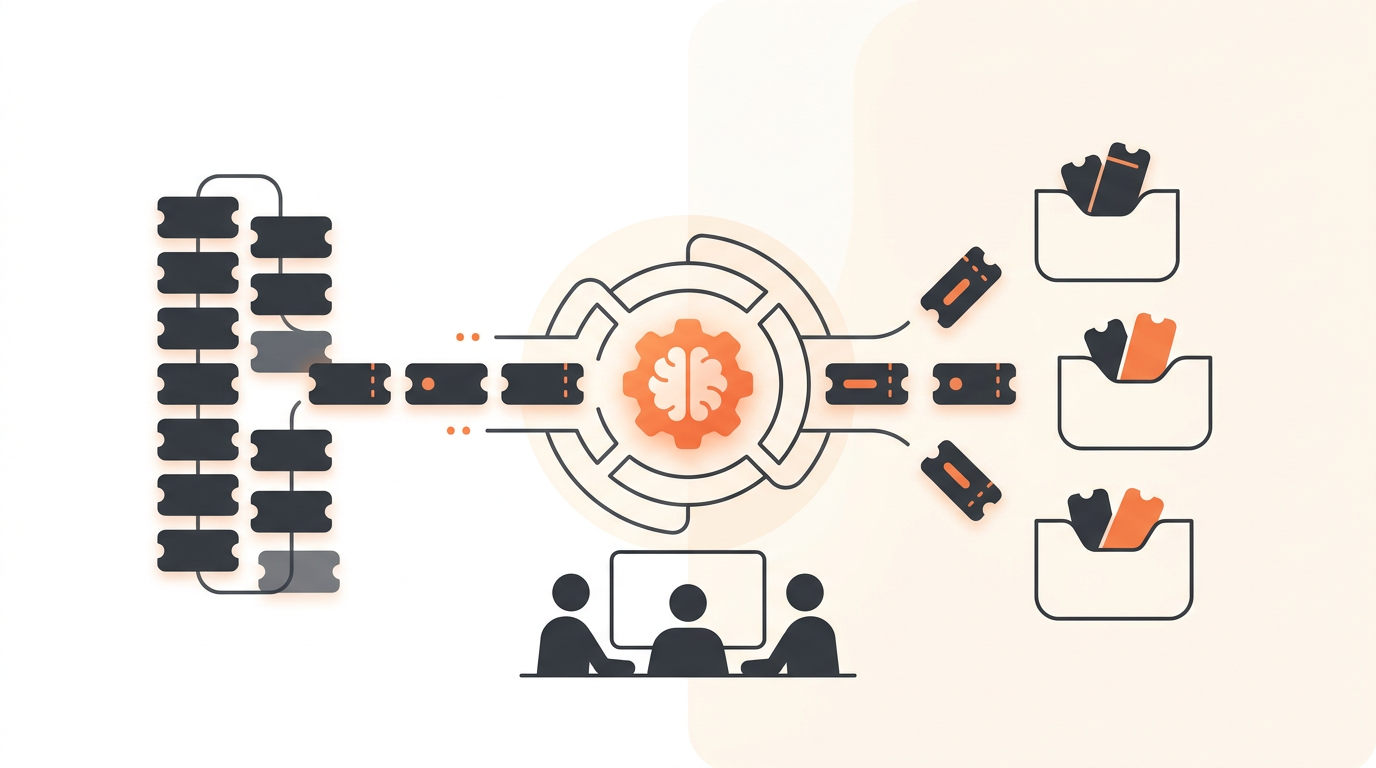
Automatic support ticket categorization uses a large language model to read an incoming employee request, determine its underlying intent, and assign the correct ITIL ticket type, priority, and routing group. By matching unstructured text against your predefined service catalog and historical data, AI eliminates the manual dispatch phase of IT operations. You skip the triage queue entirely and deliver the issue directly to the team equipped to solve it.
Why Keyword Routing Fails and AI Succeeds
For years, IT departments relied on rigid IF/THEN rules to sort incoming emails and forms. A rule might state: If the subject contains "password" or "login", route to the Identity Management group. This approach breaks contact with reality immediately. An employee who submits a ticket saying, "My new laptop is locked and I can't type my password" is experiencing a hardware configuration issue, not a standard credential reset. Keyword rules blindly route that ticket to the Identity team, wasting time and artificially inflating time-to-resolution metrics.
AI models approach text differently. They do not hunt for explicit string matches. They evaluate the semantic relationship between the words in the request to understand the core objective. When an employee writes "Can't get into Salesforce," the AI recognizes this as an access request, even though the words "access," "login," or "password" never appear in the text. This capability fundamentally shifts how IT managers design their service desks. Instead of building hundreds of brittle regex rules to catch every possible phrasing, you define broad functional categories and trust the AI to map messy human language to your structured operational boxes.
Designing an AI-Friendly Ticket Taxonomy
AI can only categorize tickets accurately if the categories themselves make logical sense. If human agents disagree on whether a ticket belongs in "Hardware Issue" or "Endpoint Malfunction," the AI will struggle too. The most common error IT managers make when transitioning to automated triage is porting over a bloated, legacy category list.
The Limit of Distinct Categories
Start by restricting your top-level categorization menu to no more than 15 distinct options. If your list exceeds 15, you are likely mixing categories with root causes. "VPN Access" is a valid category; "Cisco AnyConnect Server Timeout" is a root cause. The AI should determine that a ticket belongs in the Network Access category. Your agents, after investigating, log the root cause. Do not force an automated triage system to guess the root cause before the investigation even begins.
Eradicating the "Other" Category
Never include "Other" or "General Support" in your taxonomy. These black-hole categories act as a magnet for vague requests. If a request does not fit cleanly into your predefined list of ITIL services, it implies a gap in your Service Catalog. Force the AI—and your users—to pick a specific lane. If the AI consistently miscategorizes certain obscure requests, that data serves as a signal to build a new, dedicated category rather than hiding the volume inside a generic "Other" bucket.
Step-by-Step Implementation Process
Moving from manual dispatch to AI-driven categorization is an operational shift, not just a software toggle. Follow this sequence to deploy automated triage safely.
- Audit a 30-day historical sample: Export your last month of closed tickets. Review them to identify the most common request types. Discard legacy categories that have not been used in the last six months.
- Define your target taxonomy: Group the historical tickets into 10-15 broad, mutually exclusive categories (e.g., Identity & Access, Hardware, Software Licensing, Network, Procurement).
- Establish Priority matrix rules: Define what constitutes a high-priority incident versus a standard service request. AI can read urgency in text (e.g., "entire floor is offline" vs "whenever you have a chance"), but you must map those interpretations to specific SLA rules per priority.
- Configure First-Match Assignment Rules: Map each category to a specific Group for team-based ownership. For example, all "Network" tickets automatically assign to the Infrastructure Group.
- Run in shadow mode: Turn the AI on, but do not bypass your human dispatcher yet. Let the AI apply an invisible tag predicting the category. Have your dispatcher compare the AI's prediction against their own judgment for one week.
- Activate automated routing: Once the shadow mode confirms a high accuracy rate, bypass the dispatcher queue. Allow the AI to directly assign tickets to the defined Groups.
Illustrative Scenario: Scaling IT for a 150-Person Logistics Firm
Consider an illustrative example of a 150-person regional logistics company. They historically managed IT support through a single shared inbox. Every morning, the IT manager spent the first hour of the day reading emails, guessing the urgency, and forwarding them to either a junior helpdesk tech or a senior systems administrator. If the manager was in a meeting, tickets sat untouched. Employees constantly followed up with "Did you get my email?"
By implementing AI categorization, they completely eliminated the inbox reading phase. They defined five core categories: Hardware, WMS Software, Access, Facility, and HR Onboarding. When a warehouse worker submitted a request stating their barcode scanner screen was shattered, the AI instantly recognized the intent, categorized it as a Hardware Incident, set the priority to High (since it prevented scanning), and routed it to the junior tech's queue. The manual dispatch delay dropped from hours to minutes. More importantly, the IT manager reclaimed an hour of strategic time every morning.
Connecting Categorization to SLAs and Auto-Resolution
Categorization is only useful if it triggers a downstream action. The primary benefit of applying accurate metadata to a new ticket is enforcing operational standards. Once QueAssist—the AI-powered ticket triage engine—categorizes a ticket, it hands off to your established business logic.
Driving SLA Enforcement
A categorized ticket instantly inherits your configurable SLA rules. If a ticket is categorized as an Incident and prioritized as Urgent, the system starts a 15-minute first-response timer. If it is categorized as a Service Request for a new software license, it might receive a 24-hour response SLA. Automating the category ensures the clock starts ticking under the correct rule immediately upon arrival, rather than waiting for a human dispatcher to set the terms.
Unlocking Agentic Resolution
Accurate categorization is the prerequisite for full automation. If the AI determines an inbound ticket is a standard password reset, it does not just route the ticket to a human queue. Instead, it triggers QueAssist agentic auto-resolution workflows. Grounded in your own Knowledge Base, the system can automatically reply with the exact reset link or even trigger a webhook to provision access, closing the ticket without human intervention. This works best when paired with a predictable financial model. Adopting a tool with flat monthly per-workspace pricing ensures that as your ticket volume and automation usage grow, your operational costs remain perfectly predictable, unlike legacy platforms that charge a premium for every individual agent seat.
Measuring Categorization Accuracy
Deploying AI is not a one-time event; it requires ongoing validation. You must track specific operational metrics to ensure the routing engine actually reduces friction. Use the baseline metrics below to audit your automated triage system monthly.
| Metric | How to Calculate | Reasonable Baseline Target |
|---|---|---|
| Routing Accuracy Rate | Percentage of tickets resolved by the initially assigned group without reassignment. | 85% - 90% |
| Category Correction Rate | Percentage of tickets where the responding agent manually changes the AI-assigned category. | Under 10% |
| Average Time to Assign | Duration from ticket creation until it sits in the correct team's queue. | Under 2 minutes |
| Zero-Touch Resolution Rate | Percentage of tickets categorized, routed, and resolved purely by AI workflows. | 15% - 25% |
If your Routing Accuracy Rate dips below 80%, you likely have overlapping categories causing the AI to hallucinate the correct destination. Revisit your taxonomy and consolidate confusing options.
Common Mistakes: When AI Categorization Goes Wrong
Automation handles volume brilliantly, but it struggles with severe edge cases and high-stakes emotional nuance. Knowing when to bypass AI categorization is critical to maintaining employee trust.
The HR Escalation Trap
Never automate the routing of sensitive HR complaints or severe employee grievances through the same AI model you use for IT support. If an employee submits a highly confidential harassment report, you do not want an AI scanning it, categorizing it as "Personnel Issue," and routing it to a shared HR group where interns might have visibility. Sensitive topics require strict, manually configured routing channels, often bypassing standard triage entirely.
Over-Trusting Priority Scoring on VIP Tickets
While AI is excellent at reading urgency, it lacks organizational context unless explicitly programmed. If your CEO submits a vaguely worded request about a monitor cable, the AI might categorize it as a low-priority Service Request. In reality, a CEO's hardware request is often a hidden Priority 1 incident. You must configure assignment rules that prioritize user identity over text sentiment. Set a rule that overrides the AI: if the requester belongs to the "Executive" group, immediately escalate the ticket regardless of the AI's standard categorization.
Navigating Change Management with Your Agents
Technical implementation is only half the battle. Your IT agents must trust the categorization engine, or they will waste time double-checking every routing decision. Expect initial skepticism. Senior agents who have triaged tickets manually for a decade will naturally doubt a machine's ability to interpret complex technical requests.
The Feedback Loop
Create a formal feedback mechanism. When an agent discovers a miscategorized ticket, do not just let them silently fix the dropdown menu. Require them to tag the ticket with a specific label (e.g., "AI-Miss"). Review these misses during a brief weekly standup. This achieves two goals: it provides you with the specific data needed to refine your agentic auto-resolution capabilities, and it proves to the team that the system is actively learning from their expertise. When agents realize the AI is absorbing their knowledge to handle the boring work, they transition from skeptics to enthusiastic adopters.
Automatic ticket categorization is the fastest way to pull your IT team out of the administrative weeds and put them back into active problem-solving. By structuring a clean taxonomy, relying on semantic intent over fragile keywords, and connecting categorization directly to your SLA rules, you can eliminate the manual dispatch bottleneck entirely. If you are ready to modernize your internal support desk with an AI-first approach that actually works, sign up for a free trial of QueueDesk and start routing tickets intelligently today.