
Helpdesk SLA Examples and Frameworks for Small IT Teams
Learn how to build realistic helpdesk SLAs for small IT teams. See priority examples, avoid common mistakes, and standardize response times.
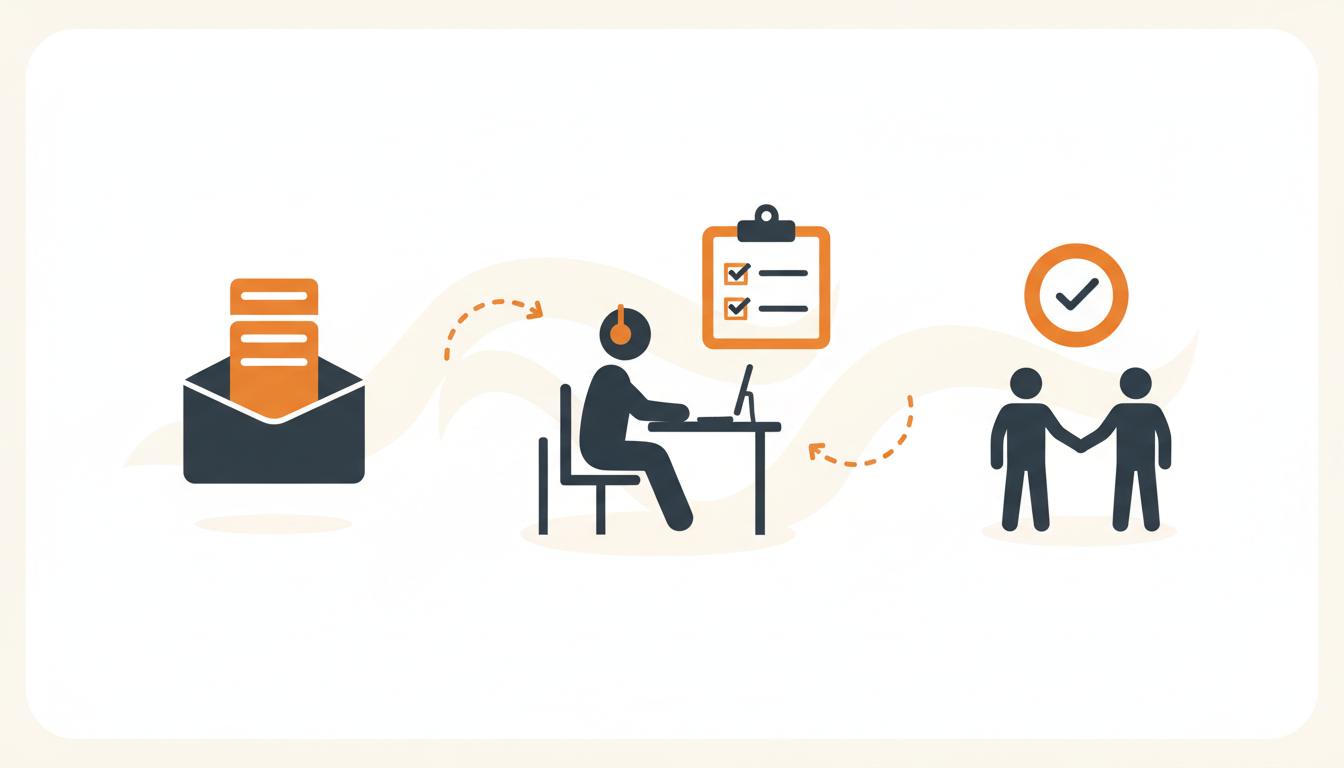
Service Level Agreements (SLAs) for small IT teams establish predictable response and resolution times based on ticket priority, acting as a clear operational contract between IT and the rest of the company. Without them, internal support defaults to a chaotic "loudest person wins" queue that burns out technicians and leaves end users frustrated. Setting baseline SLA targets—such as a four-hour response for moderate issues and a fifteen-minute response for critical outages—forces systematic prioritization and aligns company expectations with actual IT capacity.
What Makes an SLA Realistic for a Small IT Team?
Large enterprises with dedicated round-the-clock service desks can afford to implement deeply complex SLA matrices with dozens of conditional rules. A small IT team managing 50 to 300 employees cannot. When your entire support staff consists of two or three people managing infrastructure, onboarding, and daily break-fix requests, your SLAs must reflect the reality of limited concurrent capacity. If a single server outage can pull every available technician away from the queue, your standard response targets need built-in buffer time to accommodate those spikes.
Realistic SLAs for small teams focus on distinct, easily defensible categories rather than granular micro-variations. Instead of maintaining separate timers for "VIP printer issues" versus "standard printer issues," an effective small-team SLA groups requests into broad buckets of business impact. This keeps the configuration manageable and ensures that technicians spend their time resolving issues rather than debating whether a ticket breached its timer due to a minor misclassification.
The goal is establishing trust through consistency. Employees rarely mind a four-hour wait for a non-urgent software installation as long as they know exactly when to expect a response. Frustration breeds in silence and unpredictability. By setting thresholds you can actually meet, you shift the team's reputation from a black hole where requests vanish to a reliable utility with clear operating parameters.
The Anatomy of a Functional Service Level Agreement
A well-constructed internal SLA consists of specific, measurable components that govern a ticket's lifecycle. Drafting these rules requires separating the initial acknowledgment of an issue from the actual time it takes to fix it. Combining these concepts is a frequent failure point for new helpdesks.
Response Time vs. Resolution Time
Response time dictates how quickly a technician must acknowledge the ticket, assign it, and begin troubleshooting. This metric proves to the user that the request has entered the system and is actively being reviewed. Resolution time sets the maximum window for actually fixing the underlying issue and closing the ticket. For example, a critical outage might demand a fifteen-minute response time, but a four-hour resolution time to account for complex hardware troubleshooting or data restoration.
Operational Hours and Calendars
Timers must respect your team's actual working hours. If your helpdesk operates from 8:00 AM to 5:00 PM, an SLA timer on a ticket submitted at 4:45 PM must pause at 5:00 PM and resume the following morning. Establishing a business-hours calendar prevents technicians from starting their morning with a dashboard full of breached SLAs simply because employees submitted non-urgent requests overnight.
Escalation Policies
An SLA is only useful if something happens when a timer approaches its limit. Escalation policies dictate the automatic actions taken when a ticket nears a breach. For a small team, this usually means sending an automated escalation alert to the right group or manager when a ticket hits 75% of its allotted response time, ensuring the issue gets prioritized before the official target is missed.
Helpdesk SLA Examples by Priority Level
Structuring your SLA around priority levels is the most effective approach for internal IT. The table below outlines a baseline SLA matrix that small and mid-sized businesses can adopt immediately. These are reasonable defaults designed for a standard 8-to-5 workday; adjust them based on your specific staffing levels and industry requirements.
| Priority Level | Definition & Business Impact | Response Target | Resolution Target |
|---|---|---|---|
| P1 - Critical | Total work stoppage. Company-wide outage, network down, or critical security breach. Multiple users unable to function. | 15 Minutes | 4 Hours |
| P2 - High | Significant impact on a specific department or time-sensitive task. Core application down for a team, VIP issue. | 1 Hour | 8 Hours (1 Business Day) |
| P3 - Medium | Standard support requests. Single user hardware issue, minor bug, localized software disruption. Workarounds available. | 4 Hours | 24 Hours (3 Business Days) |
| P4 - Low | Non-urgent service requests. New hardware requests for next month, informational questions, minor aesthetic changes. | 8 Hours (1 Business Day) | 40 Hours (5 Business Days) |
Notice the deliberate scaling. Critical issues demand immediate triage, pulling techs away from other tasks. Low-priority issues provide enough buffer to be handled during quiet periods or grouped together for batch processing. This structure protects the team's focused work time while ensuring real emergencies surface instantly.
Scenario: Fixing the "Everything is Urgent" Problem
Consider an illustrative example: a 120-person logistics company migrating off shared email inboxes. Because the inbox provided no structure, employees realized that writing "URGENT:" in the subject line was the only way to get prompt service. Consequently, every request—from broken warehouse scanners to ordering a secondary monitor—arrived marked as critical. The IT team lived in a state of constant reactive panic, dropping complex infrastructure projects to chase down mouse replacements.
The fix required implementing a structured ITIL approach using a Service Catalog. Instead of a blank email canvas, users browsed a menu of pre-approved requests. Only actual Incidents (broken systems) allowed the user to suggest a high urgency, and even then, the system routed the ticket through an automated triage process. Routine Service Requests (like the monitor) automatically inherited a P4 Low priority with a five-day resolution target.
By enforcing a strict priority matrix, the team dropped panic escalations from a daily occurrence to a rare anomaly. Technicians started their mornings working through P3 and P4 queues methodically, knowing that any genuine P1 would trigger a distinct notification sequence. The perceived speed of IT actually improved across the company because users finally had accurate expectations of when their specific type of request would be completed.
Step-by-Step: Implementing Your First SLA Matrix
Rolling out an SLA matrix requires methodical planning. If you simply flip a switch and turn timers on without aligning them to your current reality, you will instantly demoralize your support staff with insurmountable breach notifications.
- Audit your current average baseline. Before setting targets, look at your existing data. If your average response time is currently twelve hours, implementing a one-hour SLA across the board will fail. Figure out what your team can consistently achieve right now, and use that as the starting point.
- Define priority criteria clearly. Write down exactly what constitutes a P1, P2, P3, and P4. Do not leave this open to interpretation. Specify that "entire department cannot work" is a P2, while "one person needs a password reset" is a P3 or P4.
- Configure your business schedules. Enter your official support hours into your ticketing system. Account for company holidays, weekends, and specific time zones if your workforce is distributed. Ensure the system pauses timers when your team is officially off the clock.
- Map SLA rules to ticket types. Differentiate between Incidents (something is broken) and Service Requests (someone needs something). A broken laptop needs a faster resolution than a request for a software license upgrade. Tie your timers to these ITIL ticket types.
- Build your escalation paths. Determine who gets notified when a ticket reaches 80% of its SLA time. For a small team, this might just notify the assigned technician again. For critical tickets, it should notify the IT manager.
- Run in shadow mode. Activate the SLAs in the background for two weeks without penalizing the team. Review the data to see where the bottlenecks are. Adjust the targets if they prove mathematically impossible given your current staffing.
Automating SLA Enforcement Without Adding Headcount
Enforcing SLAs manually is impossible. You cannot expect technicians to watch clocks while repairing servers. You must rely on your internal service desk to handle the timer management, routing, and escalation automatically. This is where legacy enterprise tools often break down for small teams—they require dedicated administrators just to keep the routing scripts running.
Modern platforms handle this dynamically. With tools designed specifically for the SME segment, you can utilize features like intelligent ticket triage to categorize, prioritize, and route tickets the moment they arrive. If an employee submits a ticket about a total network failure, QueAssist can parse the urgency, assign it a P1 status, route it to the infrastructure group, and start the fifteen-minute response timer instantly.
Furthermore, small teams benefit massively from deflecting tickets entirely. If a user asks a common question, agentic auto-resolution can solve the issue using the organization's Knowledge Base, bypassing the SLA queue entirely because no human technician is required. When choosing a platform to manage these workflows, pricing structures matter. Selecting a vendor with flat monthly pricing per workspace makes predictable budgeting possible, unlike legacy systems that charge per-seat, penalizing you for adding approvers or part-time staff.
How to Measure SLA Success on a Small Team
Measurement should drive behavior, not punish individuals. On a team of three people, missing an SLA is rarely a sign of laziness; it is almost always a symptom of competing priorities or inadequate tooling. Tracking the right metrics ensures you identify the actual bottleneck.
Focus on Breach Rate, Not Averages
Average resolution time is a deeply flawed metric. A single severely complex ticket that takes three weeks to resolve will skew the average so heavily that it looks like the team is failing. Instead, measure your SLA Breach Rate—the percentage of tickets that miss their target window. A healthy small team should aim for a breach rate of under 10%. If that number spikes, it is a clear indicator that ticket volume has exceeded capacity.
Separate Vendor Delays
When tracking metrics, ensure your system allows technicians to place tickets in a "Pending Third Party" or "Waiting on User" status. These statuses must pause the SLA timer. If a user drops a laptop in a river and you have to wait three weeks for Dell to ship a replacement motherboard, your internal SLA should not reflect a three-week resolution failure. Measuring only the time the ticket sat actionable in your queue provides an honest reflection of your team's efficiency.
Common Mistakes When Drafting IT SLAs
Implementing SLAs forces a fundamental shift in how IT operates. Without careful guardrails, it is easy to accidentally design a system that works against you. Avoid these specific failure modes when configuring your rules.
Failing to lock down priority fields. If you present users with a dropdown menu labeled "Urgency" on the employee portal, 90% of them will select "High." Users lack the context to evaluate their issue against company-wide infrastructure. Hide the priority field from the end user. Let them describe the business impact (e.g., "I am completely blocked"), and let your assignment rules or AI triage determine the actual IT priority.
Over-promising on resolution times. A response SLA is entirely within your control—you can always acknowledge a ticket. Resolution SLAs are frequently subject to external factors. Promising a two-hour resolution time for hardware failures is dangerous if you do not keep spare inventory on hand. Always pad resolution targets to account for typical vendor or procurement delays.
Ignoring Service Catalog potential. A blank form invites unstructured, unmeasurable requests. Forcing users to select predefined items (like "Request New Software License") from a Service Catalog allows you to attach specific approval workflows and SLA timers to that exact item. Treating a software request the same as a malware infection breaks your reporting.
Keeping SLAs secret from the company. An SLA is a two-way agreement. If you do not publish your expected response times in the Knowledge Base or on the portal dashboard, users will still expect instant gratification. Transparency manages expectations before the ticket is even submitted.
Rolling Out SLAs to the Wider Company
Introducing SLAs is as much a cultural change as a technical one. When transitioning from a "walk-up and tap on the shoulder" IT culture to a measured, SLA-driven helpdesk, communication is critical. Start by drafting a simple internal memo explaining the transition. Frame the change not as IT building a wall, but as a commitment to ensuring no requests slip through the cracks.
Encourage users to utilize the employee portal rather than sending direct emails to specific technicians. Explain that routing tickets through the proper channels guarantees their request is tracked against the new performance targets. When users understand that following the process actually guarantees them a response within a specific timeframe, adoption of the new system increases dramatically. Couple this rollout with the launch of CSAT surveys on resolved tickets, demonstrating that while IT is adopting strict timers, they are still deeply committed to support quality.
Getting out of the chaotic, shared-inbox mindset requires a system built for predictable routing and automated triage. If your current tool forces you into messy workarounds just to track basic timers, it is time to upgrade to an AI-first platform designed to handle the heavy lifting for you. Start a free trial of QueueDesk to build your first SLA matrix, automate your ticket routing, and give your IT team the structure they need to thrive.