
CSAT Surveys for IT Support: What to Ask and When
Learn exactly what to ask on your internal IT CSAT surveys, when to trigger them, and how to build a feedback loop that improves IT operations.
The Short Answer
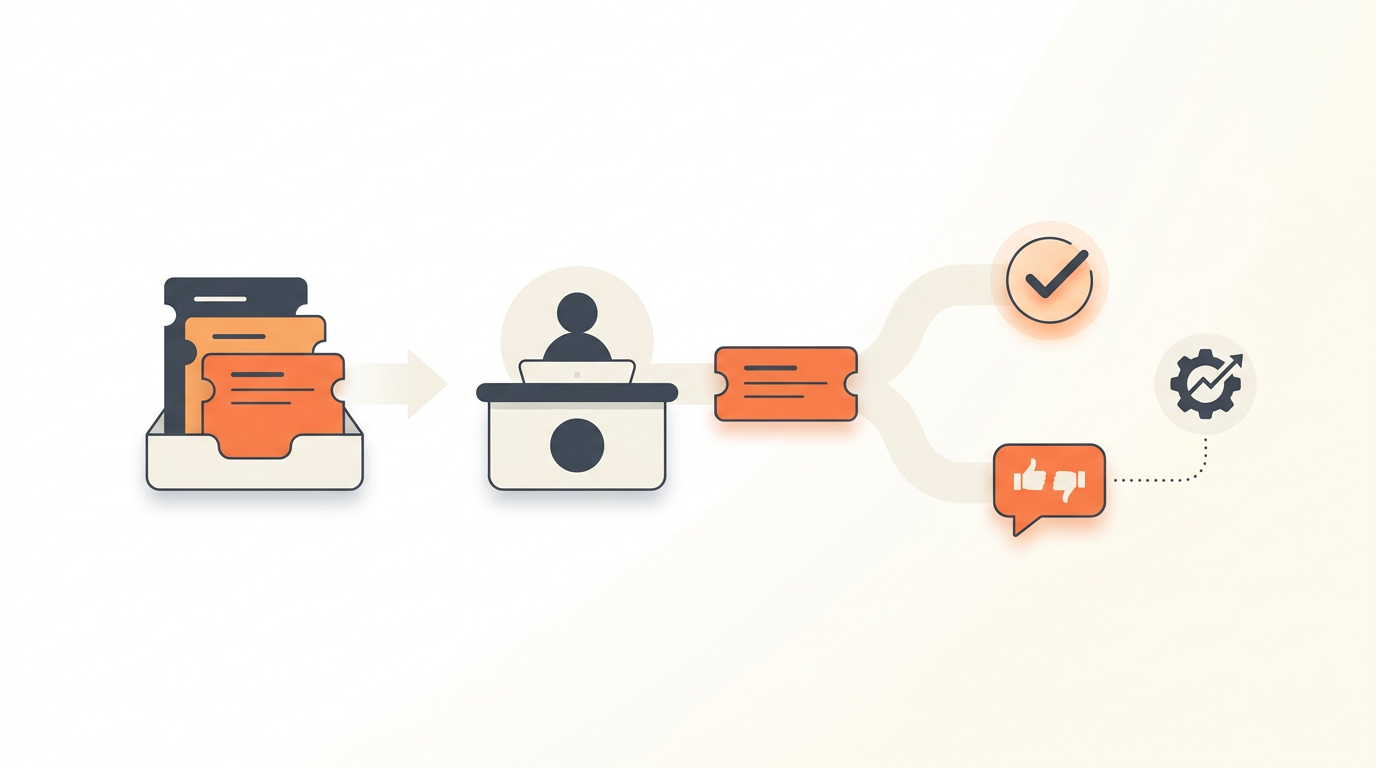
CSAT surveys for internal IT support should ask a single primary question—usually "How satisfied are you with the resolution of this request?"—immediately after a ticket is marked resolved. Timing and brevity dictate your response rate, so avoid multi-page questionnaires in favor of a one-click rating (1-5 stars or emojis) paired with an optional text field for context. Knowing exactly what to ask and when to trigger the survey separates support teams that actually understand employee friction from those just collecting ignored emails.
Why Internal IT Requires a Different CSAT Approach
External customer service teams use CSAT to measure brand loyalty, predict churn, and generate marketing testimonials. Internal IT support operates in a completely different reality. Your employees are a captive audience. They cannot choose a competing IT department if they have a bad experience with a password reset.
Consequently, measuring internal satisfaction requires a different lens. You are not trying to delight your users; you are trying to restore their productivity with minimal friction. A standard five-page enterprise survey filled with questions about "agent friendliness" and "brand perception" actively damages the relationship between IT and the rest of the company. It signals that IT does not value the employee's time.
Instead, internal CSAT must be treated as an operational metric. It exists to tell you if your assigned SLA rules actually match the business reality. If a technician closes an urgent ticket within the two-hour SLA, but the user gives a negative rating because the fix was temporary or poorly communicated, the SLA success is a vanity metric. True IT service management relies on CSAT to validate that a fast resolution was also an effective one.
The Core Questions: What to Ask Your Employees
High response rates depend entirely on keeping the cognitive load near zero. You need to ask one primary quantitative question, followed by one conditional qualitative prompt.
The Primary Satisfaction Rating
The standard baseline is a direct inquiry into the outcome of the ticket. Use this phrasing as your default:
"How satisfied are you with the resolution of your request today?"
This focuses the user on the outcome, not just the demeanor of the technician. If you want to measure the usability of your support process rather than just the outcome, consider swapping standard CSAT for a Customer Effort Score (CES) question:
"How easy was it to get your IT issue resolved?"
CES often provides more actionable data for IT operations. If a user gets exactly what they asked for, but they had to answer four clarifying emails and wait three days because they didn't use the structured Service Catalog, their effort was high. Tracking effort helps you identify which intake forms need better pre-filled fields.
The Qualitative Follow-Up
A rating without context is just a number on a dashboard. You need text feedback to fix systemic issues. However, forcing users to type a response guarantees a massive drop in survey completion.
The best practice is conditional branching based on the initial click. If the user clicks a 4 or 5 (Positive), present an optional text box:
"Glad to hear it. Anything specific you'd like to share?"
If the user clicks a 1, 2, or 3 (Negative or Neutral), present a different optional text box:
"We're sorry we missed the mark. What could we have done better?"
Do not make the text field mandatory in either scenario. Some users just want to register their dissatisfaction quickly and move on. Let them.
Timing the Ask: When to Send the Survey
Triggering the survey at the wrong moment guarantees bad data. If you send it while the issue is still actively being worked, the user will ignore it or submit a negative score out of frustration. If you wait a week, they will forget the details of the interaction.
The optimal trigger is the exact moment the ticket transitions to a "Resolved" status. Do not wait for the ticket to hit "Closed." In standard ITIL workflows, a ticket is marked Resolved when the technician believes the work is done. It stays in this state for a buffer period (often 48 to 72 hours) before automatically shifting to Closed, giving the user time to verify the fix.
Sending the survey on Resolution serves a dual purpose. It captures their immediate reaction, and it serves as a gentle notification that IT considers the work finished. If the user disagrees, the resulting negative survey response acts as an immediate flag to reopen the ticket.
There are exceptions to the immediate-send rule based on the channel:
- For email resolutions: Send the survey embedded directly in the "Ticket Resolved" notification email. Do not send a separate email just for the survey.
- For employee portal or chat intake: Prompt the user inline immediately upon resolution, but allow them to dismiss it easily.
- For mass outages (Major Incidents): Suppress CSAT surveys entirely. If email is down for 200 people, you do not need 200 surveys telling you they are unhappy about it. Focus on the post-incident review instead.
Choosing the Right Rating Scale
The scale you choose dictates how you trend your data over time. You have three practical options for internal support.
Binary (Thumbs Up / Thumbs Down)
This generates the highest response rate because it requires zero critical thinking. It is ideal for highly transactional service desks dealing primarily with password resets or access requests. However, it lacks nuance. A user who is mildly annoyed and a user who is entirely blocked both click the thumbs down.
Three-Point Scale (Smileys: Happy, Neutral, Sad)
This offers a slight improvement over binary by capturing the "neutral" interaction—the ticket was resolved, it wasn't a great experience, but it wasn't terrible either. It helps separate true failures from mediocre execution.
Five-Point Scale (Stars or Numbers)
This is the recommended default for comprehensive internal IT teams. A 5-point scale allows you to calculate a true CSAT percentage (taking the number of 4 and 5 ratings divided by total responses). It provides enough granularity to track whether a technician is slowly improving from 3s to 4s over a quarter.
Step-by-Step: Designing and Launching Your Survey Protocol
Rolling out an internal CSAT program requires configuration on the helpdesk side and communication on the employee side. Follow this sequence to establish a baseline.
- Audit your ticket types: Separate your standard service requests (software licenses, new hardware) from incidents (system crashes, lockouts). Decide if you will survey both. Typically, surveying all resolved tickets is fine to start, but you may want to exclude automated system alerts.
- Select your tool and scale: Configure your helpdesk to embed a 5-point scale at the bottom of resolution notifications. If you are cobbling together external survey platforms, you will face integration hurdles; a dedicated internal helpdesk bakes this directly into the resolution workflow.
- Define the trigger rules: Set the automation logic. The rule should read: When Status changes to Resolved, AND Ticket Type is not System Alert, send Resolution Email with embedded CSAT.
- Draft the notification copy: Keep the email extremely brief. "Your request [Ticket ID] has been marked resolved. Click a rating below to let us know how we did." The scale should sit immediately below this text.
- Establish the feedback loop: Determine who reads the comments. Unread feedback is a liability. Assign a specific IT manager or lead to review all responses scoring a 3 or below daily.
- Launch silently for two weeks: Turn the system on without announcing it company-wide. Use this time to catch misconfigured routing rules or broken email templates.
- Announce the initiative: Inform the company that IT is now collecting feedback. Emphasize that the ratings take one second to click and are actively used to improve their technology experience.
Analyzing the Data: Moving Beyond the Average Score
A persistent mistake IT managers make is reporting a single blended number—"Our CSAT is 4.8 this month"—to leadership. A high average often hides localized failures. You must segment your survey data to find actionable operational improvements.
| CSAT Metric Segment | What It Reveals | Actionable Next Step |
|---|---|---|
| Score by Ticket Category | Highlights specific technologies causing pain. (e.g., VPN tickets average 2.1, while hardware requests average 4.9). | Update the Knowledge Base for the low-scoring category or initiate a Problem management investigation. |
| Score by Assignment Group | Identifies team-level performance gaps. The infrastructure group might score lower than the helpdesk group due to slow response times. | Review the configurable SLA rules for the low-scoring Group. They may need longer baseline targets or more staff. |
| Score by Time to Resolve | Maps exactly when users lose patience. You may find scores drop from 4.8 to 2.5 once a ticket passes the 24-hour mark. | Implement escalation alerts at the 20-hour mark to prevent the ticket from crossing the dissatisfaction threshold. |
| High Score, High Effort | The user got what they wanted, but left comments complaining about the 15 emails it took to get there. | Move this request type into a structured Service Catalog so all necessary approvals and data are collected upfront. |
Segmentation turns your helpdesk data from a passive report card into a predictive maintenance tool for your IT operations.
A Realistic Triage Protocol for Negative Feedback
When a bad score comes in, how you handle it determines whether employees will bother taking the survey again. You need a formalized protocol for low ratings.
Consider an illustrative example: an 85-person logistics company migrating their IT operations out of shared inboxes. They launch a 5-point CSAT survey and immediately receive a 2-star rating on a ticket for a new laptop setup. The text comment reads, "Got the laptop, but none of my required warehouse software was installed. Had to wait an extra day."
Without a protocol, the IT technician might feel defensive, ignore the comment, and just close the ticket. With a triage protocol in place, the workflow looks like this:
- The 2-star rating automatically triggers an alert routing the ticket to the IT Manager.
- The manager reviews the ticket history and notes that the technician followed the standard provisioning checklist perfectly.
- The failure wasn't the technician; the failure was the intake form, which lacked a field for "Required Departmental Software."
- The manager replies to the employee: "Thank you for the feedback. You are completely right—we missed that software. I've updated our intake form so warehouse staff will get this pre-installed from now on."
By closing the loop with the employee, the IT manager validates the user's time and permanently fixes a structural flaw. The turnaround time for identifying process gaps dropped from hours of manual auditing to minutes of targeted feedback review.
Common Mistakes: Survey Fatigue and Metric Manipulation
As you build this system, actively avoid the failure modes that plague overly eager IT departments.
Mistake 1: Survey Fatigue
Do not survey every single interaction if a user submits multiple tickets a week. More importantly, do not survey automated resolutions constantly. If your system uses agentic auto-resolution to handle a simple password reset against the company Knowledge Base in four seconds, you do not need a survey on every occurrence. Sample these high-volume, low-touch tickets periodically (e.g., surveying every tenth automated resolution) rather than bombarding the user.
Mistake 2: Punishing Technicians for Policy Decisions
Users will frequently give a 1-star rating when IT denies a request for non-standard software, even if the technician was perfectly polite and simply enforcing security policy. If you tie agent performance reviews or bonuses strictly to raw CSAT scores, technicians will begin to cherry-pick easy tickets and avoid enforcing necessary security policies. Managers must read the comments and filter out "policy-driven" negative scores from "performance-driven" negative scores.
Mistake 3: Asking Questions You Won't Act On
If you ask "How could we improve our self-service portal?" but have no budget or roadmap to actually update the portal this year, do not ask the question. Asking for feedback and consistently ignoring it breeds intense cynicism across the employee base.
Implementing Built-In CSAT Without the Overhead
Building a reliable feedback loop should not require duct-taping a third-party survey tool to your ticketing system via fragile API connections. When your tooling fragments, you lose the ability to accurately tie a user's rating to the specific Service Catalog item, the technician, and the resolution timeframe.
Modern IT teams need intake, resolution, and satisfaction metrics living in the same environment. If you want to deploy a system that handles AI-powered triage, complex approval workflows, and native one-click CSAT surveys without being penalized by per-seat licensing models, you can evaluate this on our flat-rate pricing structure. Ready to stop guessing whether your fast resolutions are actually good resolutions? Start your QueueDesk workspace and turn on built-in IT support tracking today.
Get started today
Ready to fix internal support?
Free Starter plan. No credit card. Up and running the same day.
Start freeFrequently asked questions
Should we send a CSAT survey for tickets generated by automated monitoring alerts?+
No. CSAT surveys should only be sent for user-initiated tickets (Incidents or Service Requests). Sending a survey to an employee after an automated system fixes a background server issue will only cause confusion and lower your overall response rate.
What is considered a 'good' response rate for internal IT surveys?+
For internal IT support using a one-click embedded email survey, a healthy response rate typically hovers between 15% and 25%. If your rate drops below 10%, your survey is likely too long, being sent at the wrong time, or users feel their feedback is being ignored.
How do we handle unfair negative reviews when IT is just enforcing company policy?+
IT managers must manually review low scores. If a 1-star rating is given because an agent correctly denied an unapproved software request, the manager should tag that survey as 'policy-driven' and exclude it from the individual technician's performance metrics.
Is Customer Effort Score (CES) better than CSAT for internal support?+
Often, yes. CES asks 'How easy was it to get your issue resolved?' which is highly relevant for internal employees who just want to get back to work. While CSAT measures happiness with the outcome, CES is better at exposing overly complex intake forms or slow approval workflows.