
Automating Ticket Dispatch: Using AI Tools for IT Triage
Learn how to replace manual ticket dispatch with AI triage. Route, categorize, and prioritize IT requests automatically to save engineering hours.
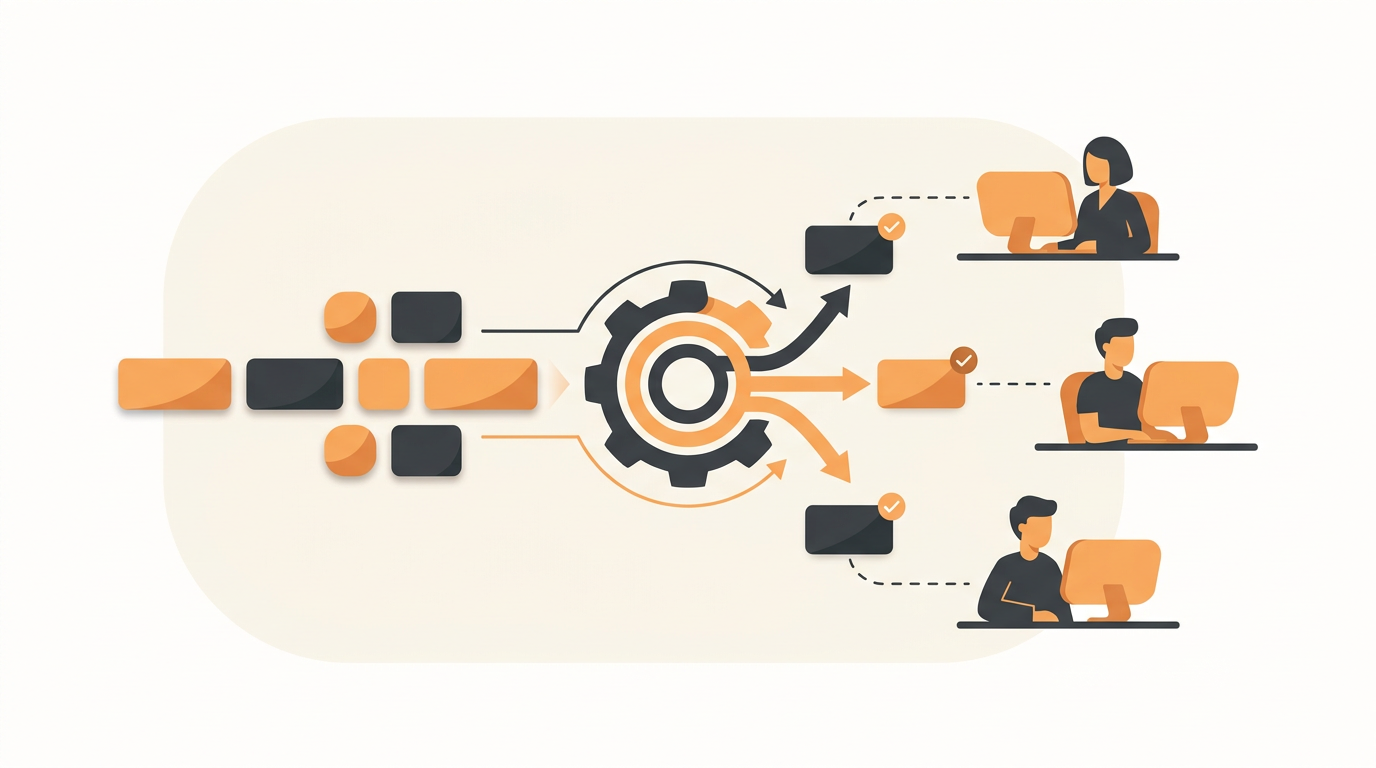
An AI tool to triage IT tickets automatically works by reading an incoming employee request, categorizing its nature, assigning an appropriate urgency level, and routing it to the correct team or agent without human intervention. Instead of paying an IT technician to act as a full-time dispatcher reading unorganized emails, the system uses natural language processing to understand the intent behind a request and immediately places it in the right queue.
The Hidden Cost of Manual Triage in Growing Organizations
In a small company, the IT support process usually starts as a shared email inbox or a dedicated Slack channel. When a request comes in, whoever has a free moment reads it, decides if they can fix it, and replies. As the company scales past 50 employees, this informal system collapses under its own weight. The volume of requests increases, and specialized roles emerge within the IT team—one person handles hardware procurement, another manages software licensing, and a third deals with network infrastructure.
Suddenly, the act of simply figuring out who should handle a ticket becomes a dedicated job. An IT manager or Level 1 technician ends up acting as a human router. They read a vague email stating "my screen went dark," deduce that this is a hardware issue rather than a forgotten password, tag the ticket with the appropriate category, set the priority level based on the user's role or the urgency of the problem, and assign it to the hardware group.
This manual dispatch process burns hours of expensive engineering time every week. Worse, it creates artificial delays for the end user. If the human dispatcher is in a meeting or out sick, incoming tickets pile up unassigned. High-priority incidents—like a site-wide Wi-Fi outage—sit in the same unread queue as a routine request for a software license upgrade. The organization needs a mechanism that categorizes and routes requests the exact second they are submitted.
How AI Ticket Triage Replaces the Human Dispatcher
Legacy automated routing relied entirely on fragile keyword matching. If an IT manager wanted to route printer tickets, they had to write a rule looking for the exact string "printer" or "paper jam". If an employee typed "the HP LaserJet is broken," the keyword rule failed, and the ticket dropped into the unassigned queue.
Modern triage relies on large language models that understand context and intent. When evaluating an IT ticketing system for your internal operations, the primary technical shift to look for is semantic understanding over strict rule-based logic.
For example, QueueDesk uses QueAssist to parse the incoming text on arrival. If an employee writes "I spilled coffee on my laptop and it won't turn on," the AI does not just see the word "laptop". It understands that physical damage has occurred, instantly categorizes the ticket as a hardware Incident rather than a standard Service Request, flags it as a high priority because the user is completely blocked from working, and assigns it directly to the hardware provisioning Group so they can prepare a loaner machine.
Illustrative Example: Rescuing a Logistics Company's Support Queue
Consider a 60-person logistics company operating a mix of warehouse staff and remote office workers. Their IT support previously consisted of an email alias that dropped every request into a single unassigned list. Warehouse workers would email vague complaints like "scanner broken" while office staff submitted detailed requests for new ERP accounts.
Because warehouse scanner issues stop shipments from leaving the building, they are fundamentally higher priority than a new ERP account. However, without manual triage, the IT team worked sequentially from oldest to newest. Critical warehouse delays went unresolved while technicians spent thirty minutes provisioning software for someone who did not need it until the following Monday.
Implementing an automated triage layer changed the operational dynamic entirely. The time between an employee submitting a ticket and the correct specialist receiving a notification dropped from hours to minutes. When a "scanner broken" email arrived, the AI recognized the operational impact, categorized it as an urgent Incident, and triggered an immediate escalation alert to the on-call warehouse technician's group. The ERP account request was correctly classified as a low-priority Service Request and routed to the systems administration queue.
Step-by-Step: Implementing Automated Triage Rules
Flipping the switch on an AI triage engine without preparing your underlying ticketing structure will only route garbage faster. The AI needs a clean, logical framework of categories, priorities, and teams to target. Follow this process to set up your environment before turning on automated dispatch.
- Audit and Consolidate Ticket Categories: Review your historical tickets. If you have 40 highly specific categories (e.g., "Mouse broken", "Keyboard broken"), consolidate them into broader logical buckets (e.g., "Hardware Peripherals"). The AI performs best when choosing among 8 to 12 clear categories rather than guessing between overlapping micro-categories.
- Define SLA Rules per Priority: Establish what "Urgent," "High," "Medium," and "Low" actually mean in hours. Configure SLA rules so that when the AI tags a ticket as High priority, a countdown clock automatically starts, ensuring the assigned Group responds within the agreed window.
- Establish Assignment Groups: Do not assign automatically triaged tickets to individual people. People take vacations. Instead, create Groups (e.g., "Network Ops," "Tier 1 Support," "App Provisioning") and configure your assignment rules to route to the Group. Use first-match routing to distribute the load among available agents in that group.
- Populate the Service Catalog: For standard, repeatable tasks (like requesting a new monitor), build items in your Service Catalog. This bypasses the need to infer intent from free text, as the user selects exactly what they want from a menu.
- Enable and Monitor the Triage Engine: Turn on QueAssist or your chosen AI categorizer. During the first two weeks, have a senior technician monitor the incoming queue strictly to verify the assignment accuracy and adjust your Group configurations if certain ticket types are consistently misrouted.
Comparing Intake Methods: Free-Text vs. Structured Forms
Not all tickets require the AI to guess the user's intent. Offering multiple intake channels provides a better employee experience while maintaining clean data for your IT team. Organizations generally deploy three distinct methods of capturing support requests.
| Intake Channel | Employee Experience | Triage Mechanism | Best Used For |
|---|---|---|---|
| Email / Standard Portal Form | Familiar, requires typing out the problem manually. Often results in vague descriptions. | AI reads the unstructured text, categorizes it, and routes it to a Group. | Unexpected break-fix Incidents and general troubleshooting questions. |
| AI Chat Intake | Conversational interface that asks follow-up questions to clarify the problem before submission. | Intent recognition categorizes the issue dynamically during the chat. | Password resets, basic access issues, and how-to queries. |
| Service Catalog | A browsable, structured menu of pre-approved hardware and software requests. | Hardcoded routing rules trigger specific approval workflows based on the item chosen. | New employee onboarding, hardware replacements, software licenses. |
Relying exclusively on unstructured email forces the AI triage tool to work harder. By guiding employees toward a Service Catalog or AI chat intake through the employee portal, you guarantee that the ticket arrives with the necessary context already attached.
From Triage to Agentic Auto-Resolution
Categorizing and routing a ticket is only the first step. The ultimate goal of support automation is preventing the ticket from requiring a human agent altogether. While complex infrastructure Problems or major network Changes (in the ITIL sense) will always require senior engineering oversight, a vast majority of daily employee requests are entirely predictable.
This is where agentic auto-resolution alters the workload. If an employee submits a ticket stating, "How do I connect my phone to the guest Wi-Fi?", the AI triage system does not just route this to Tier 1 support. Instead, it searches the organization's Knowledge Base. Because you have previously documented the guest Wi-Fi instructions, QueAssist intercepts the request, provides the exact steps to the employee, and resolves the ticket automatically.
This self-serve deflection ensures common questions never clutter the queue. The human technicians only see the tickets that actually require human intervention, such as physical hardware repairs or complex permission escalations.
How to Measure the Success of Automated Triage
Once you implement an automated dispatch system, you must measure its effectiveness to ensure it is actually saving time. Do not rely on subjective feelings from your team; track these specific metrics.
- Time to Assign: Calculate the average duration between ticket creation and the moment it is assigned to a specific Group. With manual triage, this is usually measured in hours. With AI, it should drop to zero.
- Reassignment Rate: This is the critical quality metric. Track how often a technician receives an AI-assigned ticket and has to manually transfer it to a different Group. A high reassignment rate indicates that your categories are too ambiguous or your routing rules are conflicting.
- First Response Time: Because tickets no longer sit in an unassigned holding pen, the time it takes for a technician to send their first actual reply to the employee should decrease dramatically.
- CSAT (Customer Satisfaction) Scores: Monitor the automated CSAT surveys sent when tickets are closed. Employees generally rate IT higher when their issues are acknowledged and routed quickly, even if the actual resolution takes a few days.
Common Mistakes When Automating Ticket Dispatch
Automating a broken process just creates faster chaos. Organizations frequently make a few predictable errors when rolling out AI triage systems.
The most common failure mode is over-complicating the routing logic. IT managers sometimes try to map every possible edge case to a specific technician. They build rules stating that if a ticket mentions "Salesforce" and "Tuesday" and comes from the "Marketing" department, it goes to a specific developer. This creates a brittle system. AI triage works best when routing to broad functional Groups (e.g., "SaaS Applications Support") rather than attempting hyper-specific individual assignments.
Another frequent mistake is neglecting the Knowledge Base. Auto-resolution and intelligent chat intake rely entirely on the documentation you provide. If your Knowledge Base consists of five outdated PDF files from three years ago, the AI has nothing to ground its answers in. It will fail to deflect common requests, and those tickets will pass through to the human queue. Maintaining up-to-date documentation is a mandatory ongoing task.
Finally, never hide the human escalation path. If an employee interacting with an AI chat intake is frustrated because the system misunderstands their highly unusual problem, they must have an immediate "talk to a human" option. Forcing users into endless automated loops destroys trust in the internal IT department.
Structuring the Financial Side of Automated Support
The operational benefits of AI triage are clear, but the cost structure of your chosen platform dictates whether those benefits translate to actual ROI. Traditional enterprise vendors like ServiceNow or Jira Service Management operate on strict per-seat licensing models.
When you rely on per-seat pricing, expanding your automated routing becomes a financial burden. If your AI triage tool determines that a specific facilities request should be routed to the office manager, you have to buy a full expensive agent license for that office manager just so they can receive the routed ticket. This forces small businesses to share logins or push non-IT tickets back into email, defeating the purpose of a centralized triage system. Evaluating options with flat monthly pricing per workspace, which you can review here, allows you to build out routing rules across HR, Facilities, and Finance without incurring a penalty for every user you add to an assignment group.
Moving away from manual dispatch is the fastest way to return productive hours to your IT team. If your technicians are tired of playing traffic cop for incoming employee emails, it is time to deploy an intelligent intake and routing layer. Stop assigning tickets by hand and start automating your internal support queue today.
Get started today
Ready to fix internal support?
Free Starter plan. No credit card. Up and running the same day.
Start freeFrequently asked questions
Does automated triage replace my Level 1 helpdesk technicians?+
No. It shifts their workload from administrative dispatching (reading and assigning) to actual problem-solving. By removing the manual sorting process, Level 1 agents can spend their time fixing technical issues and improving the Knowledge Base rather than just acting as human traffic cops.
How long does it take an AI tool to learn my company's specific routing rules?+
Modern systems using large language models do not require months of machine learning training data. As long as you have clearly defined categories and assignment Groups in your settings, the system can semantically understand and route tickets on day one.
What happens if the system miscategorizes a critical issue as low priority?+
Human agents always retain the ability to manually adjust priority and reassign tickets. Additionally, configuring SLA rules ensures that even if a ticket is mistakenly given a lower priority, it will still trigger alerts if it remains unresolved past the designated threshold.
Can AI triage systems read attachments or screenshots submitted by employees?+
While the primary triage engine parses the natural language text within the ticket subject and description to determine intent, modern AI can also extract context from text embedded in standard screenshots to aid in accurate categorization.